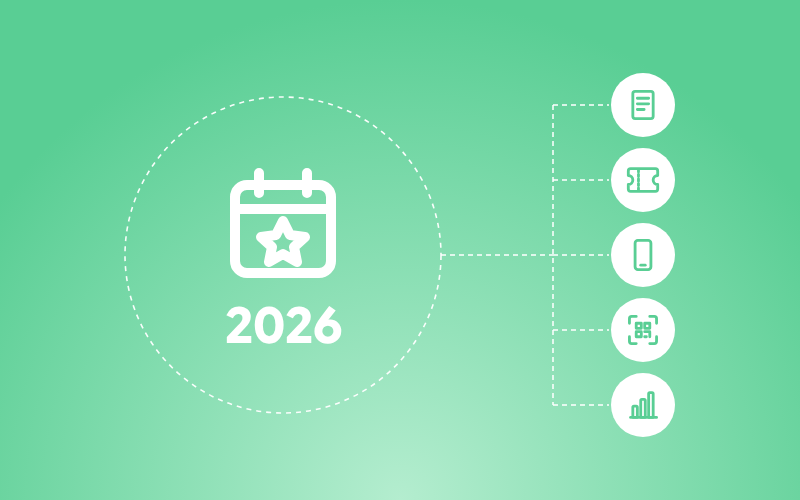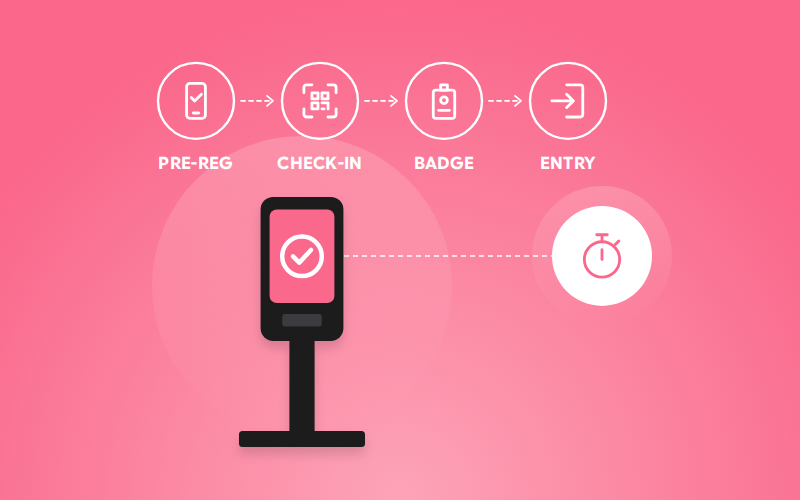



A visitor management solution for events helps organizers manage the visitor journey from pre-registration and verification to check-in, badge printing, access control, attendance tracking, and reporting. Depending on the event, this may involve QR codes, self-service kiosks, facial recognition, turnstiles, manual check-in, or a combination of methods.
The right setup depends on factors such as event size, visitor volume, visitor categories, security requirements, venue layout, and operational needs. For many events, a hybrid approach can be useful when different visitor groups require different check-in or access workflows.
For an event organizer, visitor management begins long before a visitor reaches the entrance. It starts with knowing who is expected, how they will be verified, how they will enter, what access they should receive, and how their attendance will be recorded.
When these processes rely heavily on manual guest-list searches, paper forms, or separate registration and access systems, even a well-planned event can experience unnecessary queues and operational pressure at entry points. Official event-safety guidance also identifies arrival and entry, queuing space, entrances, crowd circulation, and exit management as important parts of event planning.
A visitor management solution for events connects these activities into a structured workflow covering registration, visitor verification, check-in, badge printing, access control, attendance tracking, and reporting. Depending on the event, organizers can use QR-based check-in, self-service kiosks, facial recognition, turnstiles, manual registration, or a combination of these methods.
The important question, therefore, is not simply whether an event needs visitor management. It is how the visitor journey should be designed for the event, its audience, and its operational requirements.
Table of Contents
Why Do Events Need Visitor Management and What Does It Manage?
The entrance is often where several event processes come together at once. Attendees may arrive with different registration statuses, while VIPs, speakers, exhibitors, sponsors, media, staff, vendors, and contractors may require different credentials or access permissions.
Without an organized visitor-management process, event teams may have to search guest lists, verify visitor details, record arrivals, distribute badges, and manage access manually. As visitor volume increases, these activities can create queues and put additional pressure on registration teams.
Event visitor management solutions can support organizers across different stages of the visitor journey rather than treating check-in as an isolated task.
Instead of treating check-in as an isolated task, organizers can manage the visitor journey across:
- Registration: Know who is expected before the event.
- Verification: Confirm that the person arriving matches the relevant registration or credential.
- Check-in: Record arrival digitally or through an assisted process.
- Badge and credential issuance: Provide the appropriate event identification or access credential.
- Access control: Apply the permissions associated with a visitor’s role or credential.
- Attendance tracking: Maintain visibility into who has arrived and, where applicable, which areas they can access.
- Check-out and reporting: Record departure and use event attendance data for reporting and operational review.
This broader workflow is what makes visitor management different from simply scanning a ticket at an entrance. The solution connects the activities that happen before, during, and after visitor entry rather than focusing on a single check-in point.
How Does Visitor Management Work at an Event?
A visitor management process can be organized into a series of connected steps. The exact technology may vary, but the underlying journey generally follows the same progression.
1. Register Visitors Before the Event

The process starts with registration. Visitor information is collected before arrival so the event team knows who is expected and can prepare the appropriate check-in and access process.
Pre-registration can also help organizers distinguish between different visitor categories, such as attendees, VIPs, speakers, exhibitors, sponsors, media, staff, and vendors.
2. Issue a Digital Credential
Once registration is complete, visitors can receive a credential such as a QR code, registration ID, or mobile pass.
The credential gives the event team a way to identify the visitor when they arrive without relying entirely on manual guest-list searches.
3. Verify the Visitor at the Venue
At the entrance, the visitor’s registration or identity can be verified using the method selected for the event.
Depending on the setup, verification may involve:
- QR-code scanning
- Facial recognition
- Registration-detail lookup
- ID verification
- Self-service kiosks
- Manual verification
The appropriate method depends on factors such as visitor volume, security requirements, and the event’s operational setup.
4. Complete Check-In and Provide Access

Once verification is completed, the visitor can be checked in and provided with the appropriate credential or access.
This may include:
- Printed event badges
- Digital passes
- QR, RFID, or NFC credentials
- Turnstile access
- Permission-based access to specific areas
- Staff notifications for particular visitor categories
The important point is that check-in and access can be connected. The visitor’s entry can become part of the same digital record used to manage their event access.
5. Track Attendance and Access
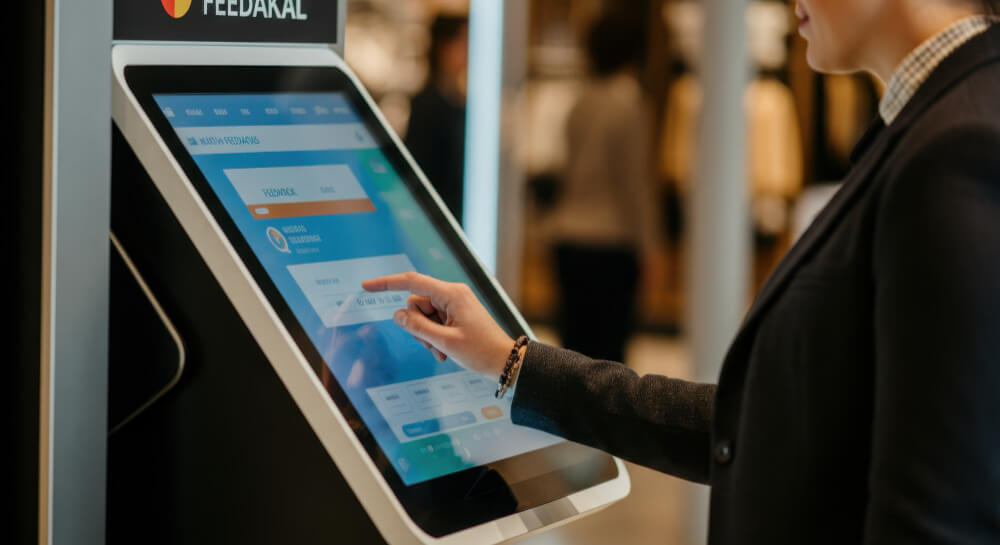
After check-in, the system can provide visibility into visitor status and attendance.
Organizers may need to know:
- Who has checked in
- Who has not yet arrived
- When visitors entered
- Which visitors are VIPs or belong to specific categories
- Which zones or sessions visitors can access
- How visitor traffic is moving through the event
This information gives event teams a more current view of attendance than a static registration list.
6. Record Check-Out and Generate Reports
The visitor journey does not necessarily end at entry.
Where the event setup requires it, check-out information can also be recorded. The resulting data can support attendance reporting and provide organizers with a record of visitor activity throughout the event.
Which Visitor Management Setup Is Right for Your Event?
Not every person arriving at an event has the same role, check-in requirement, or access level. General attendees may need a quick self-service entry, while VIPs, speakers, exhibitors, media, staff, and vendors may require different credentials, verification methods, or access permissions.
For this reason, choosing a visitor management solution should begin with understanding who will be entering the event and what each visitor group needs, rather than selecting a technology first.
The right setup starts with understanding who is arriving, how they are arriving, and what needs to happen once they reach the venue.
Match the Visitor Journey to the Right Setup:
| Event Requirement | Visitor Management Setup to Consider |
| Most visitors are pre-registered and need a straightforward entry process | QR-code check-in |
| Registration desks are likely to become congested | Self-service kiosks |
| Hands-free or biometric verification is required | Facial recognition |
| Physical entry to the venue or specific zones needs to be controlled | Turnstiles and access control |
| Visitor volume is small, and the process is simple | Manual check-in |
| Different visitor groups need different check-in or access workflows | Hybrid visitor management |
Consider Who Is Entering
Not every visitor arrives with the same requirements. General attendees may only need a quick check-in, while VIPs, speakers, exhibitors, media, staff, and vendors may require different credentials or access permissions.
For example, speakers can be given a faster entry route, VIPs can have a dedicated check-in process, and vendors can receive credentials that allow access only to the areas they need. When several visitor categories are involved, a hybrid setup can prevent everyone from being pushed through the same workflow.
Consider How Visitors Will Arrive
Arrival patterns can have as much impact on the check-in setup as the total number of attendees.
An event where most visitors arrive gradually can operate differently from one where a large proportion of attendees reach the venue within the same short period. Organizers should also account for multiple entrances, walk-in registrations, peak arrival periods, and visitors who cannot immediately present their registration credentials.
A visitor check-in system for events can support different arrival workflows, with QR check-in and self-service kiosks helping move pre-registered visitors through the process while assisted registration handles exceptions and walk-ins.
Consider What Needs to Happen After Check-In
Visitor management does not necessarily end when someone enters the venue. Depending on the event, the same system may need to support badge printing, attendance tracking, role-based access, restricted areas, real-time visitor visibility, registration integration, and reporting.
For events with controlled zones, credentials such as QR codes, RFID, or NFC can be connected with access-control systems or turnstiles. Events using facial recognition also need to account for privacy, consent, and applicable data-protection requirements.

Choose a Setup That Can Handle Exceptions!
Even a well-planned check-in process needs to account for situations that fall outside the normal workflow. A visitor may arrive without a working QR code, register at the venue, require a different access level, or need assistance during check-in. Device or connectivity issues can create another point of failure.
This is where staff support and a backup process become important, particularly for larger events where a problem at one entry point can quickly affect the wider arrival flow.
For many complex events, the answer is not one technology. General attendees might use QR check-in, VIPs may have a dedicated arrival process, speakers can be fast-tracked, and restricted areas can use additional access control. Solutions such as those offered by Dreamcast can be structured around these different visitor journeys, while the right visitor management solution for events should reflect how the event actually operates from how people arrive and enter to the access they require and the support they may need along the way. An event visitor management system should also allow these different workflows to work together without making exceptions difficult for onsite teams to manage.
FAQs
A visitor management solution is a system for managing the visitor journey at an event, including registration, verification, check-in, credentialing, access control, attendance tracking, and reporting.
Visitors register in advance or onsite, receive a credential, and are verified at the venue before check-in. Their attendance and access can then be tracked throughout the event, with check-out and reporting handled where required.
The right setup depends on visitor volume, visitor types, arrival patterns, security requirements, venue layout, and access needs. Events can use QR check-in, kiosks, facial recognition, manual check-in, turnstiles, or a combination of these methods.
Yes. Different visitor groups can follow different workflows, with attendees, VIPs, speakers, exhibitors, staff, vendors, and other groups receiving the appropriate check-in process, credentials, or access permissions.
In-Person Events!
Simplified Event Planning and
Execution With Our Event Tech Suite