

Table of Contents
TL;DR
Onsite event operations are everything that happens at the venue to make an event run smoothly. This includes registration, tickets, check-in, badge printing, who can enter where, staff teamwork, and live updates on how things are going. When all these parts work well together, lines are shorter, records are correct, and your team can fix problems before guests even notice. To get there, you need clean attendee data before the event starts, tools that work together, a trained team, and a backup plan for anything important that could fail. This guide covers the main parts, tools, steps, common problems, and checklists to help you run your event with confidence.
Introduction
An event can have a brilliant agenda, impressive speakers, and a strong marketing campaign, and still be remembered for a 45-minute line at registration. The stakes keep rising, too: the global events industry is projected to reach US$2.5 trillion by 2035, which points to strong long-term growth. Attendees rarely praise logistics when they work. They notice immediately when they fail.
That is why onsite operations deserve as much planning attention as content and promotion. The first ten minutes of an event set the tone for everything that follows, and the data collected at the door feeds directly into sponsor reports, follow-up campaigns, and next year’s budget.
This guide explains what onsite event operations involve, why they matter, how technology supports them, and how to manage each phase from preparation to post-event review. Whether you run 200-person workshops or 20,000-person conferences, the principles are the same: prepare data early, simplify the attendee journey, and give your team the visibility to act fast.
What Are Onsite Event Operations?
Onsite event operations are the tasks and services that run an event at the venue, from the moment attendees arrive until the event ends. They are what keep the event running smoothly.

Common onsite operations include:
- Managing attendee entry and verification
- Handling onsite event check-in
- Printing and distributing badges
- Controlling access control for sessions and restricted areas
- Managing event staff and volunteers
- Tracking attendee movement, participation, and engagement
Why Onsite Event Operations Matter for Event Success
1. Creating a Smooth Attendee Experience
Arrival is the first real interaction attendees have with your event, so it sets the tone for everything after it.
- Fast check-in builds confidence from the first minute.
- Clear signage helps attendees find the right lane, room, or desk without asking.
- Friendly staff makes people feel welcome and handles problems calmly.
- Long waits, confusing directions, or a missing badge create frustration that carries into the rest of the event.
- That frustration affects how people rate speakers and sessions.
- It also affects whether they return next year.
- According to WifiTalents, 47% of attendees say long check-in waits significantly hurt their experience.
2. Improving Operational Efficiency and Staff Productivity
When staff work from a single source of truth, they spend time helping people rather than searching spreadsheets. Clear roles, mobile tools, and pre-loaded data reduce repeated questions, manual lookups, and handoffs. Efficient operations also let you run the event with a leaner team or redeploy people to higher-value tasks like attendee engagement.
3. Maintaining Accurate Attendance Records and Access Control
Every check-in and session scan is a data point. Accurate records prove attendance for sponsors, support continuing-education credits, and help you enforce capacity limits and restricted-area rules. Inaccurate records, such as duplicates or unscanned entries, undermine reporting and can create safety and compliance problems.
4. Reducing Operational Risks and Unnecessary Costs
Small operational mistakes add up quickly, both in money and in risk.
- Visible costs:
- Overstaffing
- Reprinting badges
- Over-ordering catering
- Emergency equipment rentals
- Less visible costs:
- Refunds after a poor experience
- Lost sponsor confidence
- Staff overtime
- The payoff of good planning:
- Lower costs
- Lower safety and security risk
- Lower reputational risk
5. Measuring the Business Impact of Better Event Operations
Operations produce measurable results, and you can connect them to business outcomes.
- Faster check-in: raises early-session attendance.
- Accurate data: improves lead follow-up.
- Smooth logistics: improve satisfaction scores and renewals.
- Tracking a handful of operational KPIs: links the work behind the scenes to:
- Revenue
- Retention
- Sponsor value
| KPI | What It Measures | Why It Matters |
| Average check-in time | Seconds from reaching the desk to receiving a badge | Reveals bottlenecks and staffing gaps |
| Peak queue length and wait time | Longest line and longest wait during arrival surges | Shows whether stations and lanes are sized correctly |
| Check-in rate by hour | Share of registrants arriving each hour | Helps schedule staff and plan future arrival windows |
| Badge reprint rate | Percentage of badges reprinted due to errors | Signals data quality and template problems |
| Session scan rate | Share of attendees scanned into sessions | Supports capacity management and engagement reporting |
| Issue resolution time | Minutes from incident report to fix | Measures team coordination and escalation paths |
| Attendee satisfaction (arrival experience) | Survey score on check-in and logistics | Links operations to renewal and loyalty |
Key Components of Onsite Event Operations
1. Attendee Registration and Data Management
Everything onsite depends on registration data. Collect only what you need, validate formats, and standardize fields such as names, companies, and ticket types. Clean data prevents misspelled badges and failed lookups. Freeze or sync a final attendee list shortly before the event, and define how late registrations and edits will be processed in your onsite systems. According to a Dreamcast roundup, 29% of attendees registered in the final two weeks, and 75% of first-time attendees registered late versus 47% of veterans.
2. Event Ticketing and Entry Validation
Ticketing determines who may enter and what they can access.
- Unique QR codes or barcodes: give each ticket its own scannable code.
- Ticket types with clear permissions: make it obvious which areas and sessions each ticket allows.
- Real-time validation: helps prevent fraud and duplicate entry.
- Plan for special cases: decide how to handle transferred tickets, group purchases, and complimentary passes.
- Brief your staff: make sure they know exactly how to handle each case at the door.
3. Onsite Check-In and Queue Management
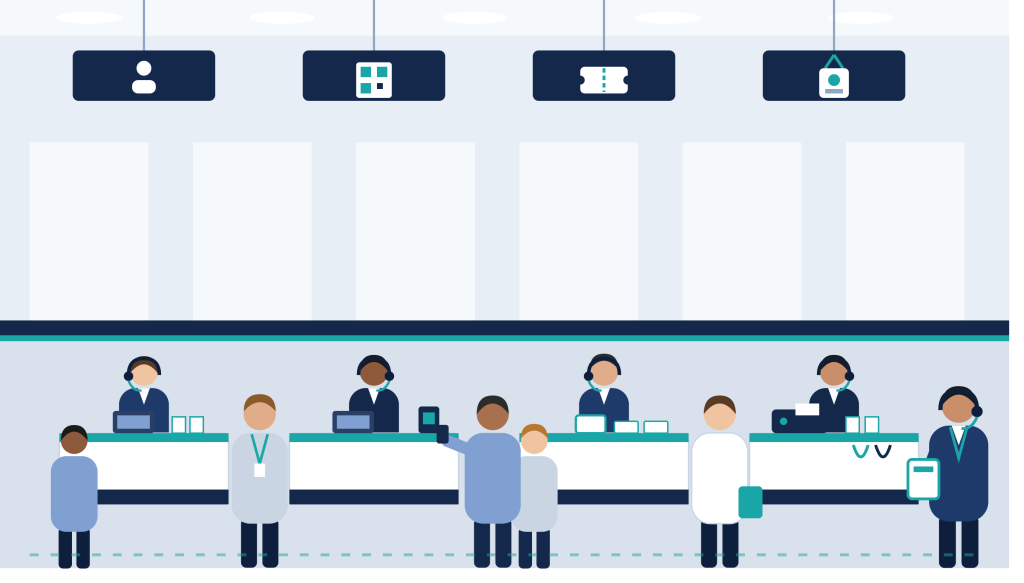
Check-in is the busiest moment of most events. Separate lanes by need, such as pre-registered attendees, walk-ups, VIPs, speakers, and problem resolution. Use clear signage, floor markings, and staff greeters to direct flow. Forecast arrival peaks from past events and registration data, then staff accordingly. Switching from paper lists to digital check-in can shorten average waiting times by up to 75%, as reported in Dreamcast’s event registration statistics.
4. Event Badge Printing and Attendee Identification
Badges identify attendees, signal access levels, and enable networking. Design templates with large, legible names, color coding for roles, and scannable codes. Decide between pre-printed badges for speed and on-demand printing for flexibility, and always keep blank stock, spare ribbons or lanyards, and backup printers on hand.
5. Access Control and Session Management
Access control makes sure the right people reach the right places.
- Define zones: for example, the main hall, VIP lounge, workshops, and backstage.
- Map ticket types to permissions: so each ticket opens only the areas it should.
- Use session scanning: it provides live headcounts and enforces capacity.
- Record engagement: scans show who attended which sessions.
- Use the data: it is useful for CE credits and speaker feedback.
6. Staff, Vendor, and Venue Coordination
Onsite success depends on people working from the same plan. Share run-of-show documents, contact lists, escalation paths, and floor plans. Hold briefings with staff, vendors, security, and venue managers before doors open. Confirm load-in times, power and network access, and who has authority to make on-the-spot decisions. Staffing matters to attendees: according to ZipDo, 49% say poor attendee-to-staff ratios cause delays, and 61% say staff indifference reduces their satisfaction.
7. Real-Time Monitoring and Event Reporting
Live data helps managers spot and fix problems before attendees notice them.
- Use live dashboards: track check-in progress, session attendance, and device status.
- Spot issues early: see when one lane is slowing down or a room is approaching capacity.
- Respond within minutes: act on what the dashboard shows instead of waiting for complaints.
- Reuse the data: the same data feeds your post-event reports.
- Build reporting into the setup: decide what you need to report before the event, rather than reconstructing it later.
- Planners are already moving this way: ZipDo reports that 90% use event apps, 76% use CRM tools to track post-event attendee behavior, and 70% share attendee feedback with vendors or sponsors.
Essential Technology for Modern Onsite Event Operations
1. Event Registration Platform
Event registration platform captures attendee information, handles payments, manages ticket types, and creates the dataset that powers every onsite system. Look for custom fields, group registration, discount codes, and APIs or native integrations that sync data without manual exports.
2. Event Ticketing Platform
Ticketing platform issues unique, scannable tickets and validates them at the door. Features that matter onsite include real-time status updates, duplicate-scan detection, multiple ticket tiers, and offline validation so entry continues even if the connection drops.
For a deeper look at the trade-offs between paper and digital tickets, see Dreamcast’s guide to on-site ticketing vs. e-ticketing.
3. Onsite Event Check-In Apps
Mobile check-in apps turn smartphones and tablets into flexible check-in stations. Staff can scan QR codes, search by name, take payments for walk-ups, and update records instantly. Mobile devices let you open extra lanes quickly during surges and greet attendees in the queue rather than waiting at a desk. According to an industry roundup by Dreamcast, digital check-in can cut average wait times by 75% compared with paper-based processes.
4. On-Site Event Badge Printing
On-site badge printing means printing each badge at the venue as the attendee checks in, instead of printing everything in advance. Because the badge pulls data straight from your registration system, a name or ticket type changed just before the event is already correct. This makes check-in faster, lets staff fix a mistake with a quick reprint, and avoids the damaged or misprinted badges that can turn up in a pre-printed batch. Attendee details are entered once and the badge prints automatically, so you also get real-time registration data and more control over badge design, such as large names, color-coded roles, and scannable codes.
To learn more about why printing badges at the venue is worth it, read Dreamcast’s post on the benefits of on-site event badge printing.
5. Facial Recognition for Event Check-In
Facial recognition technology for event check-in can verify attendees in a second or two, enabling near-contactless entry and reducing reliance on codes. It requires clear opt-in consent, transparent data retention rules, secure storage, and compliance with local privacy law. Always provide a non-biometric alternative for anyone who prefers it.
6. Event Access Control and Attendance Tracking
Beyond the front door, access control tools scan badges at session doors, restricted zones, and exhibitor areas. They provide live capacity counts, alert staff to unauthorized entry, and create session-level attendance records. Combined with dashboards, they turn physical movement into usable data.
7. Integrating Event Technology Into One Workflow
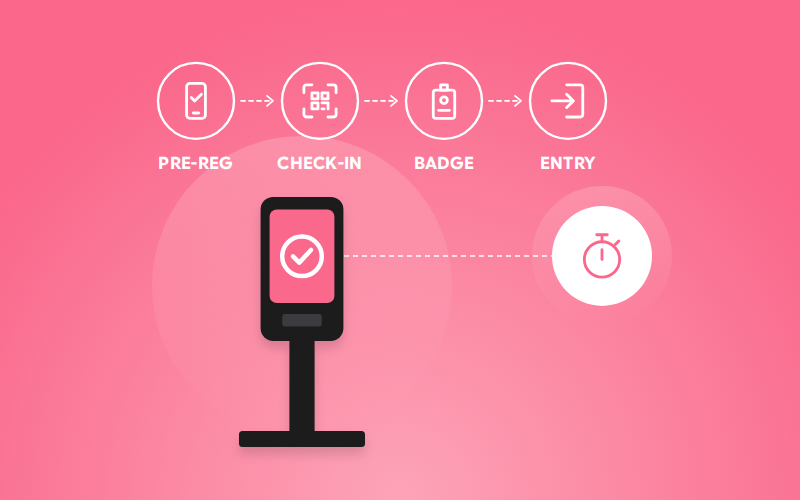
Separate tools create separate data problems. The goal is one connected flow: registration feeds ticketing, ticketing feeds check-in, check-in triggers badge printing, and scans feed access control and reporting. Integration reduces manual work, prevents mismatched records, and gives you a single, reliable view of attendance.
The table below compares common check-in methods so you can match them to your event.
| Check-In Method | Typical Speed | Best For | Main Considerations |
| Staffed desk with QR scan | Fast (10–20 seconds) | Most conferences and corporate events | Needs enough stations and trained staff |
| Name lookup / manual search | Slow (30–60 seconds) | Walk-ups and lost tickets | Use as a fallback lane, not the main flow |
| Self-service kiosks | Fast (10–15 seconds) | Large events with high pre-registration | Requires clear instructions and attendants nearby |
| Mobile app roaming check-in | Fast (10–20 seconds) | Queue busting and VIP arrivals | Needs strong device and battery management |
| Facial recognition | Very fast (1–5 seconds) | High-volume, repeat, or secure events | Consent, privacy compliance, and fallback option |
Managing Onsite Event Operations From Start to Finish
1. Pre-Event Onsite Event Operations
a) Planning Registration, Ticketing, and Attendee Data
Set a registration cutoff and a data freeze schedule. Audit the attendee list for duplicates, missing fields, and unusual characters that may break badge templates. Confirm ticket types and permissions, and send attendees their QR codes with clear arrival instructions at least a few days ahead.
b) Preparing Check-In Stations, Badge Printing, and Equipment
Calculate how many stations you need from expected arrivals and your average processing time. Set up printers, scanners, laptops, tablets, power strips, and signage. Label equipment, organize badges or supplies alphabetically if pre-printing, and create a layout that keeps lanes from crossing.
c) Coordinating Staff, Vendors, and Venue Logistics
Assign roles and shifts, and document who reports to whom. Share the run-of-show with every team. Walk the venue with managers to confirm entrances, loading areas, restricted zones, emergency exits, and network access points. Brief vendors on schedules and contacts.
d) Testing Technology and Preparing Contingency Plans
Run a full dress rehearsal: scan test tickets, print sample badges, simulate walk-ups, and test devices on the venue network. Then prepare for failure. Download offline attendee lists, pre-print critical badges such as VIPs and speakers, bring hotspots and backup power, and write simple fallback procedures staff can follow without asking.
2. During the Event: Managing Live Onsite Operations
a) Managing Attendee Arrival and Check-In
Open stations before the earliest arrivals and keep greeters in the queue to direct people and answer questions. Watch wait times and add lanes or mobile check-in staff when lines grow. Move attendees with problems to a resolution desk so they do not block the main flow. For more on handling busy arrival periods, see this guide to event arrival management.
b) Handling Badge Printing and Access Control
Monitor printer status, supply levels, and template accuracy. Correct errors immediately and log them so you can fix root causes. At session doors, make sure scanners are working, staff know the capacity rules, and unauthorized entry is handled politely but consistently.
c) Monitoring Attendance and Operational Performance
Use live dashboards to track arrivals, session headcounts, and device health. Compare actual attendance with forecasts, watch for rooms nearing capacity, and flag anything unusual early. Short check-ins between team leads every few hours keep everyone aligned.
d) Coordinating Teams and Resolving Live Issues
Use a dedicated communication channel such as radios or a group chat, and define an escalation path: who solves what, and when to call a manager. Empower frontline staff to make small decisions, such as reissuing a badge, without waiting for approval. Record every incident so patterns are visible afterward.
3. Post-Event Onsite Operations
a) Managing Breakdown and Venue Handover
Follow a written teardown plan. Collect and count rented equipment, pack printers and supplies, secure unused badges that contain personal data, and complete a walkthrough with venue management. Photograph the space and document any damage or disputes before leaving.
b) Reconciling Attendance and Registration Data
Compare registrations, check-ins, and session scans. Resolve duplicates, add manual corrections, and identify no-shows. Clean data supports accurate invoices, sponsor reports, certificates, and follow-up emails, so complete this step while memories are fresh.
c) Evaluating Event Operations Performance
Review your KPIs against goals: check-in speed, queue length, reprint rates, issue resolution time, and satisfaction scores. Gather staff feedback from check-in teams, security, and vendors, since they see problems attendees may never report.
d) Identifying Improvements for Future Events
Hold a debrief within a week and turn lessons into specific actions with owners and deadlines. Update templates, staffing models, floor plans, and checklists. Archive the final data and documentation so the next team starts from your experience rather than from scratch.
Common Onsite Event Operations Challenges and How to Solve Them
1. Long Queues and Slow Check-In
Solve this with arrival-time forecasting, enough stations, separate lanes, pre-sent QR codes, and mobile check-in staff who can work the line. Encourage staggered arrival windows or early badge pickup the day before when possible.
2. Missing Registrations and Invalid Tickets
Create a resolution desk with access to the master registration system. Verify payment and identity, then issue a replacement ticket or badge. Log each case to spot data sync or communication errors that need fixing.
3. Badge Printing Delays and Incorrect Badges
Test templates with long names and special characters, keep spare printers, and pre-print badges for VIPs and speakers. Provide an easy correction process with a clear owner, and review error logs to fix the data source.
4. Internet Outages and Technology Failures
Choose tools with offline modes, bring cellular hotspots, and download attendee lists in advance. Write a simple fallback: manual lists, paper sign-in, and batch uploads afterward. Rehearse this once so staff is not improvising under pressure.
5. Duplicate Scans and Unauthorized Access
Use systems that flag duplicate or already-used credentials instantly. Train staff to respond calmly, check identification when needed, and escalate suspicious cases to security. Unique codes, ticket tiers, and zone-based permissions all lower risk.
6. Last-Minute Attendee and Agenda Changes
Define a change process before the event: who approves edits, how updates sync to badges and scanners, and how attendees are notified. Keep a small stock of blank badges and a quick way to update session capacity or room assignments.
7. Staff Miscommunication and Unclear Responsibilities
Publish a one-page role map with names, locations, and contact details. Hold short briefings at the start of each shift and use a single communication channel. Clear authority for common decisions keeps the front line moving.
8. Privacy and Security Concerns
Collect only necessary data, secure devices with passcodes and encryption, restrict access by role, and follow applicable data protection laws. Be transparent about how attendee data, especially biometrics, will be used and retained, and dispose of printed lists and unused badges safely.
Onsite Event Operations Checklist: Before, During, and After the Event
Pre-Event Checklist
- Final attendee list audited, deduplicated, and synced to all onsite systems
- Ticket types, permissions, and access zones confirmed
- QR codes and arrival instructions sent to attendees
- Check-in stations, lanes, and signage mapped on the floor plan
- Printers, scanners, laptops, tablets, chargers, and supplies packed and labeled
- Badge templates tested with longest names and special characters
- VIP, speaker, and sponsor badges pre-printed
- Staff roles, shifts, and escalation paths documented and shared
- Venue walkthrough and vendor briefings completed
- Network tested; hotspots, offline lists, and backup power ready
- Dress rehearsal completed and contingency procedures written
Event-Day Checklist
- Stations opened and tested before the first arrivals
- Greeters and resolution desk staffed
- Dashboards monitored for queues, device health, and capacity
- Printer supplies and spare equipment accessible
- Session scanning active and capacity rules communicated
- Communication channel live, and team leads checking in regularly
- Incidents and changes logged as they occur
- Data backed up periodically
Post-Event Checklist
- Equipment counted, packed, and returned
- Unused badges and printed lists secured or destroyed
- Venue walkthrough completed and issues documented
- Attendance, registration, and session data reconciled
- Reports delivered to sponsors, speakers, and stakeholders
- KPIs reviewed and staff and attendee feedback collected
- Debrief held with action items assigned
- Documentation and templates updated for the next event
The Future of Onsite Event Operations
Onsite operations are moving toward faster, more connected, and more automated experiences. Expect wider adoption of contactless entry through mobile wallet passes, NFC badges, and facial recognition, along with self-service kiosks that let attendees help themselves while staff focuses on exceptions.
AI-supported forecasting will help predict arrival surges, recommend staffing levels, and flag bottlenecks before they form. This shift is already underway: American Express Global Business Travel’s 2026 forecast found that 50% of meetings and events professionals now use AI across planning and execution. Real-time analytics will connect movement data with engagement and revenue, giving organizers a clearer view of what actually works. Sustainability will also shape operations, with digital badges and tickets reducing printed waste.
At the same time, privacy expectations and regulation will tighten. The winning approach combines convenience with transparency: collect less, explain more, and give attendees control over how their data is used.
How to Choose the Right Onsite Event Technology Partner
The right partner reduces your risk, so evaluate more than features and price. Consider the following:
- Reliability under pressure: Ask about offline modes, uptime history, and how the platform performs at your attendance scale.
- Integration: Confirm it connects with your registration, ticketing, CRM, and marketing tools without manual exports.
- Hardware and support: Check whether they supply or support scanners, kiosks, and printers, and whether onsite or live support is available during your event.
- Speed and ease of use: Staff should be trainable in minutes, not hours. Request a demo with your own data.
- Data security and privacy: Look for encryption, role-based access, clear retention policies, and compliance with relevant laws.
- Flexibility: Make sure you can customize badges, workflows, and reports for different event types.
- Track record: Ask for references from events similar to yours and run a pilot where possible.
A good partner behaves like part of your team, helping you plan, rehearse, and solve problems rather than just delivering software.

Final Words
Great onsite operations are built long before attendees arrive. Clean data, connected technology, rehearsed teams, and realistic contingency plans turn the busiest, most unpredictable hours of an event into a smooth experience. Measure what happens, learn from every event, and refine your process each time. The result is happier attendees, more confident staff, better data, and events that deliver on their goals.
Frequently Asked Questions
They are the activities, systems, and teams that run an event at the venue, including check-in, ticket validation, badge printing, access control, staff and vendor coordination, and live monitoring.
Estimate your peak-hour arrivals and divide by how many attendees one station can process per hour. Add a buffer for walk-ups and problem resolution, and include mobile check-in staff for surges.
Pre-print for VIPs, speakers, and large events where speed matters. Use on-demand printing for walk-ups, late registrations, and events where details change often. Many events combine both.
Switch to offline mode on your check-in app, use cellular hotspots, and rely on downloaded attendee lists. If needed, use paper sign-in and upload records once the connection returns.
It can be, when used with explicit consent, secure storage, limited retention, legal compliance, and a non-biometric alternative for attendees who decline.
Track average check-in time, peak wait time, badge reprint rate, session scan rate, issue resolution time, and attendee satisfaction with arrival and logistics.