

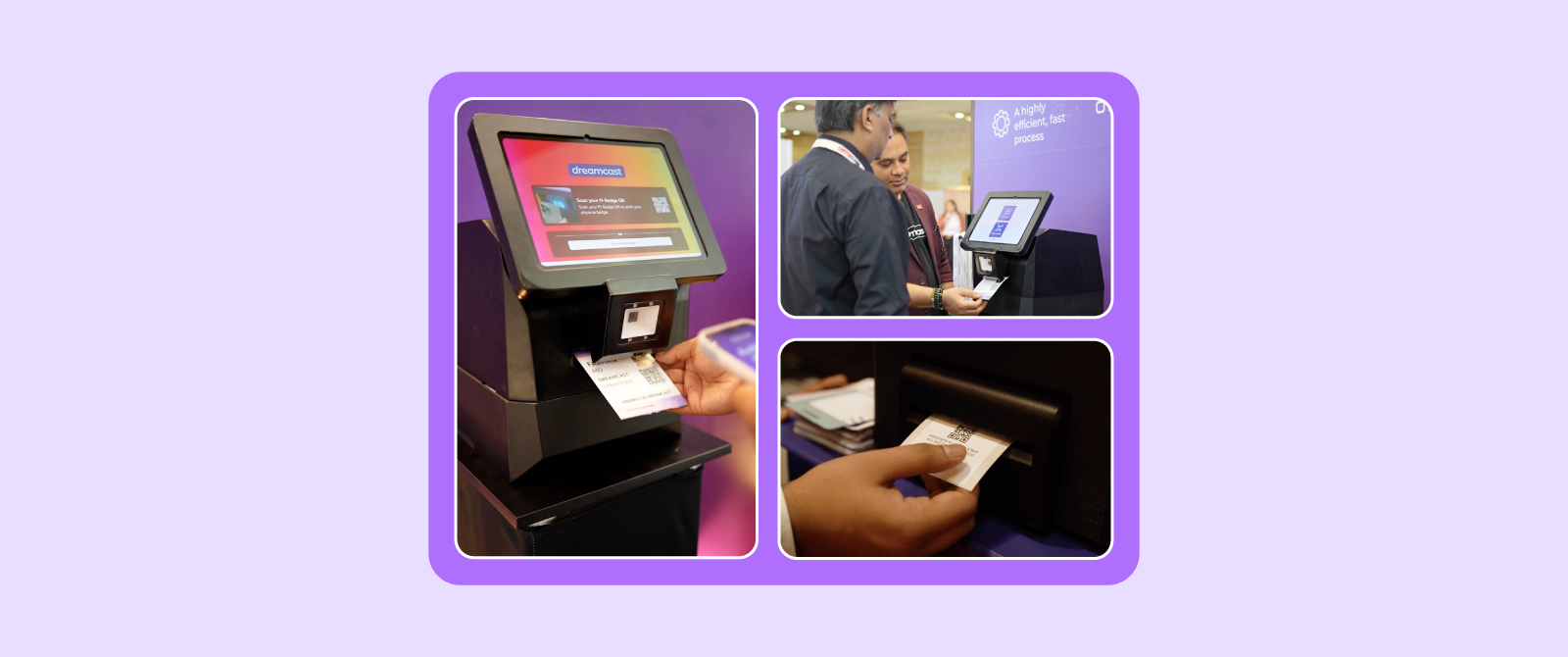
Visitor management kiosks make self-event registration and check-in faster, simpler, and more efficient by allowing attendees to verify their details, print badges, and enter the venue with minimal assistance. They help reduce queues, improve registration accuracy, support walk-in attendees, and ease the workload on event staff. For medium to large events with high attendee volumes, investing in visitor management kiosks can significantly improve both operational efficiency and the overall attendee experience.
Introduction
97% of marketers say in-person events are critical for achieving business outcomes. This is why many organizers are turning to visitor management kiosks to simplify self-event registration and check-in.
Instead of waiting for event staff to verify details or print badges, attendees can complete much of the process themselves through a self-service kiosk. The result is a faster, more efficient check-in experience that benefits both attendees and event teams.
Every event organizer wants the same thing when attendees arrive, a quick, organized, hassle-free entry process.
However, as events become larger and attendee expectations continue to rise, traditional registration desks often struggle to keep up. Long queues, manual verification, last-minute registrations, and badge printing delays can quickly create a poor first impression before the event has even begun.
But are visitor management kiosks the right choice for every event? And how exactly do they make self-registration easier?
Let’s find out here.
Why Is Self-Event Registration Becoming More Important?
The way attendees interact with events has changed significantly over the last few years. The India self-service kiosk market generated USD 1.624 billion in revenue in 2024 and is projected to reach USD 2.99 billion by 2030, growing at a CAGR of 11.1%.
Today, people expect the same level of convenience at events that they experience when checking into a flight, ordering food through a kiosk, or using self-service banking.
Naturally, these expectations have influenced onsite event registration as well.
Attendees Expect Faster Check-In Experiences
Whether someone is attending a corporate conference, exhibition, government summit, or trade show, they want to enter the venue quickly.
Few attendees enjoy standing in long registration lines after arriving at an event. The longer the waiting time, the greater the likelihood of frustration before the event even begins.
A faster self-check-in process helps create a more positive first impression while allowing attendees to spend more time networking, attending sessions, or exploring the event.
Also Read: Introducing Fastest Indian, the Dreamcast Badge Kiosk: 10-Second Badge Process, Now a Reality!
Manual Registration Can Slow Everything Down
Traditional registration desks often depend heavily on staff members. During busy arrival periods, they may need to:
- Search attendee records
- Verify registration details
- Answer common questions
- Print badges
- Handle walk-in registrations
While these tasks are necessary, they can become difficult to manage when hundreds or thousands of attendees arrive within a short period. This is where self-service technology can make a noticeable difference.
What is a Visitor Management Kiosk?
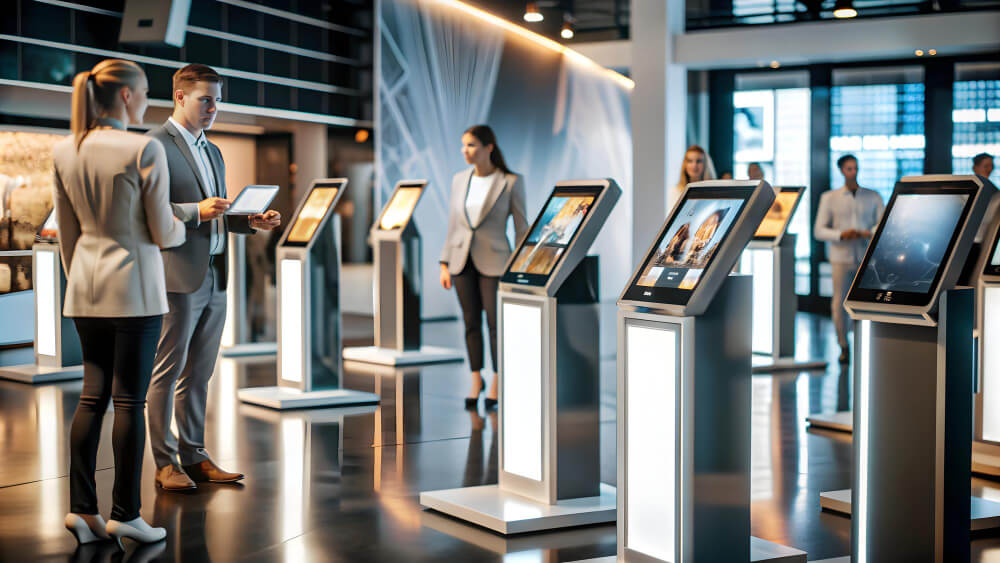
Did you know that the global installed base of self-service kiosks is estimated to be between 8 million and 15 million units worldwide as of 2025? So, before looking at the benefits, you must understand what a visitor management kiosk actually is.
Simply put, it is a self-service registration station that allows attendees to complete check-in without relying entirely on event staff.
Instead of approaching a registration desk, attendees interact directly with the kiosk to verify their registration and complete the check-in process.
Depending on the event setup, the kiosk may also print badges, scan QR codes, capture attendee information, or guide visitors through additional registration steps.
However, QR self-check-in typically takes less than 15 seconds, compared with approximately 3–5 minutes for manual reception-based check-in.
How Does a Visitor Management Kiosk Work?
Most visitor management kiosks follow a simple, automated process that allows visitors to check in within 10–15 seconds. Although the interface may differ between providers, the overall workflow remains the same.
Step 1: Scan or Search for Registration (1–3 Seconds)
The visitor scans the QR code or barcode from their confirmation email, mobile wallet, or printed pass. If they don’t have a QR code, they can quickly search for their registration using their email address, phone number, or booking ID.
Step 2: Verify Registration (Less Than 1 Second)
The kiosk instantly checks the registration details against the event database. It verifies that the registration is valid and confirms the visitor type, such as attendee, VIP, exhibitor, speaker, or staff.
Step 3: Confirm Visitor Details (3–5 Seconds)
The visitor reviews their information on the screen, including their name, company, and designation. If required, they can also accept event policies or provide a digital signature before proceeding.
Step 4: Complete Check-In (Less Than 1 Second)
After verification, the system marks the visitor as checked in. Attendance records are updated immediately, giving organizers real-time visibility into visitor arrivals and venue occupancy.
Step 5: Print Badge (3–5 Seconds)
The kiosk prints a personalized badge instantly. If the event uses access control, the badge is automatically activated so the visitor can enter authorized areas without any additional steps.
How Visitor Kiosks Handle Common Onsite Situations
Even at busy events, modern visitor kiosks are designed to keep the registration process running smoothly.
- Internet Connection Issues:
If the internet connection is temporarily unavailable, the kiosk continues processing check-ins using locally stored data. Once connectivity is restored, all records are automatically synchronized.
- Walk-In Visitors:
Visitors who have not registered in advance can complete their registration directly at the kiosk. They can enter their details, make a payment if required, and receive their badge within a few minutes.
- Duplicate QR Code Scans:
If a QR code has already been used, the kiosk immediately detects the duplicate scan and alerts event staff, helping prevent unauthorized entry and duplicate check-ins.
Visitor Management Kiosks vs. Manual Check-In: Key Differences
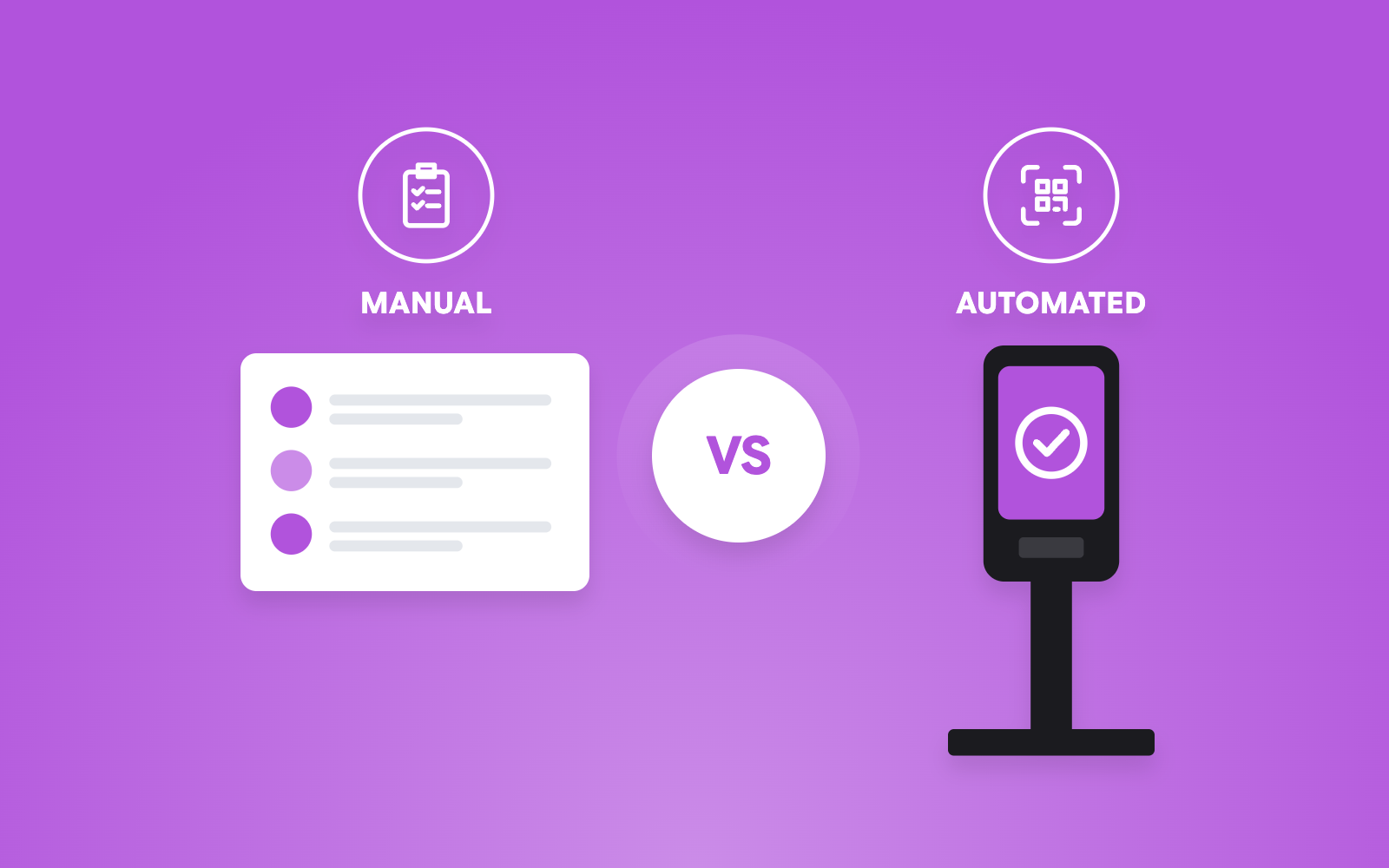
Here is a small comparison between manual and automated visitor management kiosks.
| Parameters | Manual Event Check-In | Visitor Management Kiosk |
| Average Check-In Time | 2–4 minutes per person | 15–60 seconds per person |
| Staff Dependency | High | Low |
| Data Accuracy | Low to Moderate | High |
| Walk-In Handling | Slow & Disruptive | Seamless Self-Registration |
| Badge Printing | Pre-printed or Hand-written | On-Demand Printing within 10 Seconds |
| Scalability for Large Events | Poor | High |
| Security & Privacy | Low | High |
| Real-Time Analytics | Delayed / Post-Event | Instant Dashboard |
| Cost Structure | Low Capital Expenditure / High Operating Expenditure | Moderate Upfront / Low Continuous Labor |
Where Are Visitor Management Kiosks Commonly Used?
Self-service kiosks have become increasingly common at events such as corporate conferences, trade shows, exhibitions, government events, educational conferences, healthcare events, product launches, and business summits.
They are particularly valuable where attendee volumes are high and efficient entry management is a priority.
Benefits of Using Visitor Management Kiosks for Self-Event Registration and Check-In
The biggest advantage of visitor management kiosks is that they simplify the entire arrival experience. This is why check-in applications accounted for approximately 43.6% of the global self-service kiosk market revenue in 2025, making them the largest application segment.
So, instead of replacing event staff, they allow organizers to automate repetitive registration tasks while enabling staff members to focus on attendee support and event operations.
Reduced Waiting Times

Long queues are one of the biggest frustrations at onsite events. Visitor management kiosks help distribute attendees across multiple self-service stations instead of directing everyone to a limited number of registration desks. Because attendees can complete their own check-in simultaneously, overall waiting times are often reduced. This creates a smoother entry experience, particularly during peak arrival periods.
Read more about: Zero-Queue Event: Achieve 10-Second Check-In with Kiosks, Turnstiles & AI.
More Independence to Attendees
Modern attendees are already familiar with self-service technology. Using a visitor management kiosk often feels similar to checking in at an airport or placing an order through a self-service terminal.
Instead of waiting for assistance, attendees can complete registration themselves whenever a kiosk becomes available. This gives them greater flexibility while reducing pressure on onsite registration staff.
Improved Registration Accuracy
Manual registration always carries some risk of human error. Incorrect spelling, duplicate entries, or outdated attendee information can create unnecessary delays. Visitor management kiosks help minimize these issues by allowing attendees to review and confirm their own registration details before completing check-in. This can improve data accuracy while reducing manual corrections.
On-Demand Badge Printing Support
For many events, registration does not end with attendee verification.
Badges also need to be printed quickly and accurately. Many visitor management kiosks can integrate directly with onsite badge printing systems.
Once registration is confirmed, the attendee’s badge can be printed immediately.
This removes the need for staff members to search for pre-printed badges or manually prepare new ones. The result is a faster and more streamlined badge collection process.
Easier Walk-In Registrations
Walk-in attendees often require additional attention because they are not already included in the registration database. Without self-service technology, event staff may need to manually capture attendee details before printing badges. Visitor management kiosks can simplify this process by allowing walk-in visitors to enter their own information through the kiosk interface.
Once completed, organizers can review the registration and continue with the check-in process more efficiently.
Lesser Workload on Event Staff
Event registration teams often spend a large portion of their time performing repetitive administrative tasks. These include:
- Searching attendee records
- Confirming registrations
- Printing badges
- Updating attendee information
- Handling routine check-ins
Visitor management kiosks automate many of these activities.
Instead of focusing on repetitive processes, staff members can dedicate more attention to attendees who genuinely need assistance, such as VIP guests, speakers, exhibitors, or visitors with special registration requirements.
This not only improves operational efficiency but also allows the event team to deliver a more personalized and responsive attendee experience.
What Features Should You Look for in a Visitor Management Kiosk?
Not every visitor management kiosk offers the same capabilities. While the primary goal is to simplify self-registration and check-in, the right solution should also support your event’s operational needs.
Before choosing a provider, here are some important features to evaluate.
An Intuitive and User-Friendly Interface
A self-service kiosk should be easy for anyone to use, regardless of their age or technical experience.
The registration process should include clear instructions, simple navigation, and minimal steps to complete check-in.
If attendees struggle to understand how the kiosk works, they are likely to seek assistance from event staff, defeating the purpose of self-service registration.
A clean and intuitive interface helps attendees complete the process confidently and independently.
QR Code and Barcode Scanning
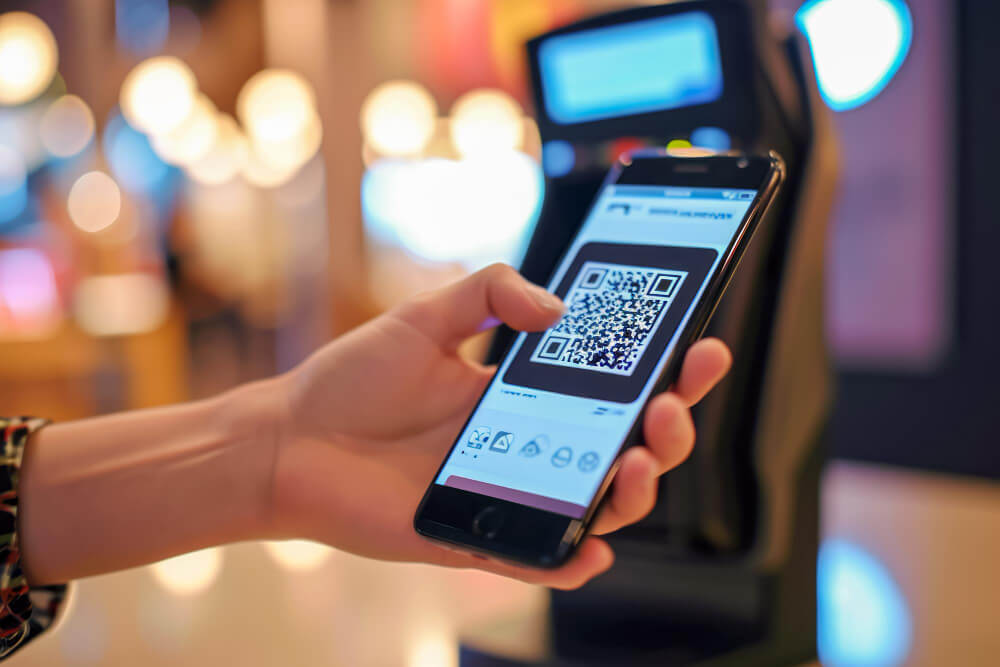
Most modern events send attendees a confirmation email containing a QR code or barcode after registration. QR-code-based visitor check-in has become the dominant digital check-in method across more than 1.38 million visitor check-ins analyzed in 2026.
A visitor management kiosk should be able to scan these credentials quickly and accurately.
Instead of manually searching attendee records, the kiosk can instantly retrieve registration details and begin the check-in process. This not only speeds up entry but also reduces the likelihood of manual errors.
Real-Time Registration Synchronization
Registration data changes frequently before and during an event. Attendees may cancel, modify their details, upgrade ticket categories, or register at the last minute. A kiosk that synchronizes with the event registration database in real time helps ensure attendees are checking in using the most up-to-date information.
This minimizes discrepancies between online registrations and onsite records while improving the overall attendee experience.
On-Demand Badge Printing Integration
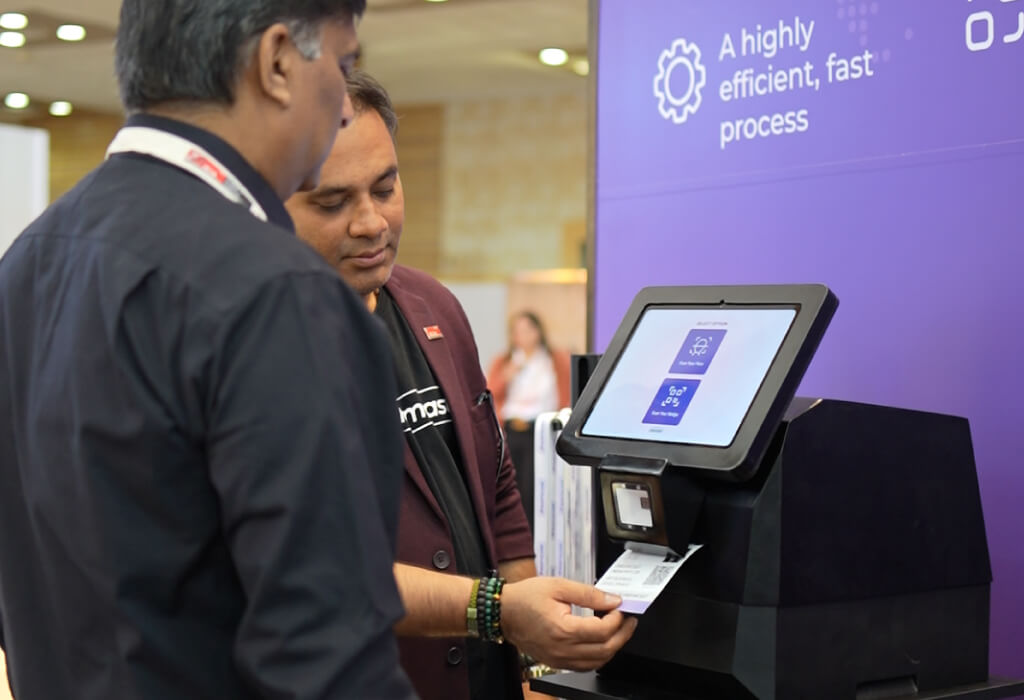
Badge printing is often one of the most time-consuming parts of onsite registration.
A visitor management kiosk that integrates with onsite badge printers can automatically print personalized badges immediately after successful check-in. This eliminates the need to search through stacks of pre-printed badges or manually print badges at a separate registration desk.
For large events, this can significantly improve attendee flow.
Secure Data Handling
Digital visitor management kiosks are increasingly being adopted because they reduce waiting times, improve visitor experience, automate badge printing, and strengthen security through features such as QR scanning and identity verification.
Visitor management kiosks process attendee information, making data security an important consideration. When evaluating a solution, organizers should understand:
- How attendee data is stored
- Who has access to the information
- What security measures protect attendee records
- Whether user permissions can be controlled
A secure platform helps protect attendee information while supporting compliance with organizational and regional data protection requirements.
Offline Functionality
Even well-planned events can experience temporary internet connectivity issues. A visitor management kiosk with offline capabilities or backup synchronization options can continue supporting attendee check-ins during unexpected network disruptions. This reduces the risk of long queues caused by technical interruptions and helps maintain smooth event operations.
Are Visitor Management Kiosks Worth It for Your Event?
The answer depends on your event’s size, complexity, attendee expectations, and an experienced event tech partner, like Dreamcast.
Hosting the Jaipur Literature Festival 2026 required managing large-scale event operations across multiple venues, high attendee footfall, VIP movement, live sessions, food zones, bookstores, and restricted-access areas – all running simultaneously for five days.
Dreamcast managed key attendee operations at JLF 2026 through facial recognition technology, self-service registration systems, smart access control, onsite badge printing, QR-enabled attendee credentials, and cashless event infrastructure.
It reduced manual processes, sped up attendee movement, and maintained secure access across all festival zones without creating long queues or operational delays. Read more about it:
Behind the Scenes of JLF 2026: How Dreamcast Simplified the World’s Largest Literary Festival
For smaller gatherings with limited attendees, traditional registration methods may still work effectively.
However, as attendee numbers grow, manual registration can become increasingly difficult to manage. If your event regularly experiences:
- Long registration queues
- High attendee volumes
- Multiple attendee categories
- Walk-in registrations
- Onsite badge printing requirements
- Limited registration staff
Then, a visitor management kiosk can become a valuable addition to your onsite operations.
So, instead of replacing your event team, it allows them to focus on attendee assistance and operational management instead of repetitive administrative tasks.
The result is a faster, more organized registration experience that benefits everyone involved.
Summing Up
Visitor management kiosks simplify one of the busiest parts of an event by allowing attendees to complete self-registration and check-in quickly and independently. They help reduce queues, improve registration accuracy, support on-demand badge printing, and make it easier to manage walk-in visitors without placing unnecessary pressure on event staff.
Because, frankly, first impressions matter. For most attendees, the event experience begins at the registration desk.
Beyond improving operational efficiency, they also create a more modern and convenient arrival experience that aligns with attendee expectations.
If your event attracts large attendee volumes or your registration team is spending too much time on manual processes, investing in visitor management kiosks could be one of the most effective ways to elevate your onsite operations. With an efficient event tech partner like Dreamcast, you can streamline onsite registration and deliver a smoother event experience from the moment attendees arrive.
FAQs
It depends on your attendee volume and registration process. For smaller events with limited attendees, traditional check-in may be sufficient.
However, if you expect frequent walk-ins or want to offer a faster, self-service experience, visitor management kiosks can still add value.
Yes. Many visitor management kiosks integrate with onsite badge printing systems, allowing attendees to receive personalized badges immediately after completing self-check-in.
Yes. Most modern kiosks allow walk-in visitors to enter their information, complete registration, and print badges without relying entirely on event staff.
Absolutely. They are particularly useful for conferences, trade shows, exhibitions, government events, and corporate gatherings where large numbers of attendees arrive within short time periods.
Many visitor management solutions support real-time synchronization with online registration systems through APIs or data imports. This helps keep attendee records updated before and during the event.
Look for an easy-to-use interface, QR code or barcode scanning, real-time registration sync, badge printing integration, offline capability, secure data handling, and reliable technical support.