

Planning a conference involves coordinating several activities at once. From managing registrations and speaker schedules to organizing networking sessions and keeping attendees informed, every detail contributes to the overall experience. As conferences grow in size and complexity, handling these activities through separate tools and manual processes can become difficult.
This is where an event app for conferences can help. It brings important event information, attendee communication, registration, networking, and engagement activities together in one digital platform. Attendees can use it to plan their schedules, connect with other participants, and stay updated, while organizers can manage key event activities more efficiently.
But not every conference needs the same app or features. A corporate conference may prioritize professional networking and meeting scheduling, while a large industry conference may need registration management, personalized agendas, live engagement tools, and detailed analytics.
So, what should you look for when choosing a conference event app? Let’s explore its benefits, essential features, practical uses, and the factors that can help you select the right solution.
Table of Contents
TL;DR
An event app for conference is a digital platform that helps organizers manage registrations, schedules, communication, networking, and attendee engagement. It gives participants access to event information, personalized agendas, speaker profiles, venue maps, and interactive session features.
For organizers, it can simplify conference management, support real-time updates, improve networking opportunities, and provide useful engagement insights. The right conference mobile app should match your event goals, audience needs, budget, integration requirements, and security expectations.
What Is an Event App for a Conference?
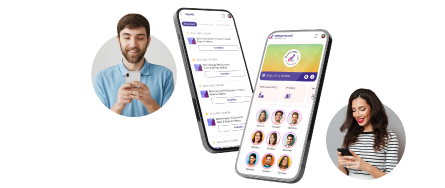
An event app for a conference is a mobile or web-based application that helps organizers coordinate conference activities and gives attendees a central place to access event information and participate.
Instead of depending on printed schedules, separate emails, physical brochures, and multiple communication channels, participants can use a single application to manage their conference experience.
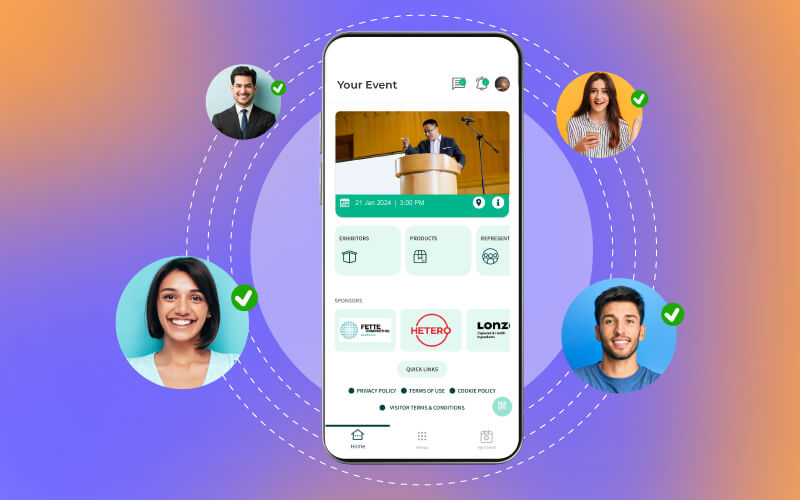
A typical conference event app may include:
- Online event registration and ticket access
- QR code-based check-in
- Digital agendas and personalized schedules
- Speaker and session information
- Attendee profiles and networking tools
- Interactive venue maps
- Live polls, Q&A, and surveys
- Push notifications and announcements
- Sponsor and exhibitor information
- Session resources and recordings
- Event analytics and engagement reports
For organizers, it can also serve as an event app for conference management by connecting attendee-facing features with registration, communication, and reporting workflows.
A conference mobile app can support in-person, virtual, and hybrid conferences. The features you need will depend on how your conference is structured and what you want attendees to accomplish.
Why Do Conferences Need a Mobile Event App?
Conferences bring together people with different interests, schedules, and expectations. Some participants attend to learn from speakers, others want to meet industry professionals, and some are primarily interested in discovering exhibitors or business opportunities.
Organizers need to make all these experiences easy to navigate.
Consider a two-day conference with multiple halls, parallel sessions, keynote presentations, networking breaks, and sponsor booths. Attendees need to know where to go, when sessions begin, and which people or exhibitors they should connect with. Organizers need to communicate changes and coordinate these activities without creating confusion.
A mobile app for conferences helps bring this information together. It can help organizers:
- Make event information accessible from one place.
- Simplify registration and check-in.
- Share schedule changes and announcements.
- Help attendees discover relevant sessions.
- Support networking before and during the conference.
- Encourage participation through interactive features.
- Collect feedback and understand app engagement.
The biggest advantage is convenience. Attendees spend less time searching for information, while organizers have a more structured way to communicate and coordinate the conference experience.
Key Benefits of a Conference Event App
The benefits of an event app go beyond replacing printed schedules. A well-planned conference app can improve the attendee journey while helping organizers manage important event activities.
1) Simplifies Event Registration and Check-In
Registration is one of the first interactions attendees have with a conference. A complicated process can create unnecessary friction before the event even begins.
An event registration app for conferences can allow participants to complete registration, access tickets, and receive digital passes before arriving at the venue.
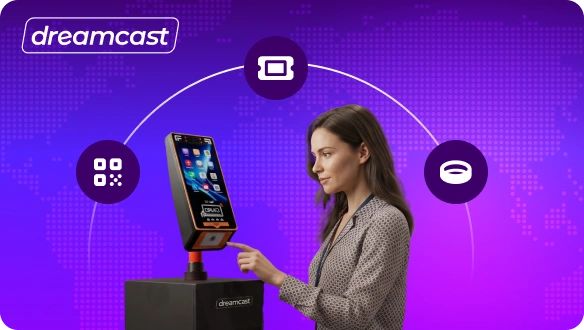
With QR code-based check-in, attendees can present their digital passes for scanning at the entrance. Depending on the registration and access setup, organizers can also connect the app with badge printing or other check-in systems.
This can help reduce manual verification, organize entry, and give the event team better visibility into attendance.
2) Improves Attendee Engagement
Keeping participants engaged throughout a conference requires more than interesting presentations.
A conference event app can support interactive activities such as live polls, Q&A sessions, quizzes, surveys, and gamification. Attendees can share their opinions, ask speakers questions, and participate in activities directly through their devices.
For example, a speaker can launch a live poll during a session to understand the audience’s views on a particular topic. Organizers can also use quizzes or challenges to encourage participants to explore different conference activities.
These features make the conference more interactive and provide opportunities for attendees to contribute rather than simply observe.
3) Makes Networking Easier
Networking is one of the main reasons professionals attend conferences. However, meeting relevant people can be difficult when participants do not know who else is attending or how to approach them.
A conference networking app can make this process more organized through attendee directories, professional profiles, in-app messaging, matchmaking, and meeting scheduling.
Participants can explore other attendees, identify people with shared interests, and arrange meetings during networking breaks.
For organizers, these tools can help create more structured networking opportunities instead of relying entirely on spontaneous conversations.
4) Provides Real-Time Communication
Conference schedules can change because of speaker availability, room adjustments, or operational requirements.
A mobile event app allows organizers to share announcements and push notifications with attendees. Participants can receive updates about session timings, room changes, upcoming activities, and other important information.
This is particularly useful when several sessions are happening simultaneously. Instead of relying only on printed notices or verbal announcements, organizers have another direct communication channel.
5) Creates a Personalized Conference Experience
Not every attendee wants to attend the same sessions or participate in the same activities.
A conference mobile app can allow participants to bookmark sessions, create personalized agendas, and receive reminders based on their preferences.
For example, someone attending a technology conference may want to prioritize AI and cybersecurity sessions, while another participant may be more interested in leadership discussions or industry networking.
Personalized schedules help attendees plan their time and focus on the activities most relevant to them.
6) Improves Sponsor and Exhibitor Visibility
Sponsors and exhibitors are important stakeholders at many conferences. They want opportunities to reach relevant audiences and generate meaningful interactions.
An event app can support sponsor visibility through branded profiles, sponsored notifications, promotional banners, exhibitor directories, and featured content.
Organizers can also consider sponsored app activities or digital challenges that encourage attendees to explore exhibitor booths.
These placements should be relevant to the conference audience and clearly identified as sponsored content. Organizers can then review available engagement metrics to understand how participants interacted with sponsor content.
7) Provides Useful Event Insights
Understanding attendee behaviour can help organizers improve future conferences.
Depending on the platform and tracking permissions, an event app may provide information about:
- App registrations and active users
- Session bookmarks and attendance
- Live poll and Q&A participation
- Networking interactions
- Notification engagement
- Sponsor and exhibitor profile views
- Survey responses
- Content and resource downloads
These insights can help organizers identify popular sessions, understand which features receive attention, and find areas that need improvement.
Remember that app engagement is only one part of conference measurement. It should be considered alongside actual attendance, attendee feedback, sponsor outcomes, and other event objectives.
Essential Conference App Features to Look For
The right conference app features depend on the event’s size, format, audience, and objectives. However, some capabilities are particularly useful for creating an organized attendee experience.
Here are the mobile event app features worth evaluating before choosing a platform.
1. Event Registration and Ticketing
Registration and ticketing features allow participants to sign up for the conference, select ticket types, complete payments where supported, and access their confirmation details.
For organizers, registration integration can help centralize attendee information and reduce repetitive manual tasks.
2. QR Code Check-In
A QR code check-in feature allows attendees to present their digital passes at the venue for verification.
Depending on the setup, organizers may also integrate the app with badge printing, access control, or on-site registration systems.
3. Agenda and Schedule Management
A digital agenda gives attendees access to session timings, descriptions, speakers, and room details.
Personalized scheduling allows participants to bookmark sessions and plan their conference experience. Reminders can also help them keep track of upcoming activities.
4. Attendee Profiles and Networking Tools
Networking features can include attendee directories, profile creation, in-app messaging, meeting requests, and matchmaking.
Some platforms also offer AI-assisted recommendations based on attendee interests or professional profiles. If this is important to your event, check how recommendations work and what data they use.
5. Live Polls, Q&A, and Surveys
These features help speakers and organizers interact with participants during sessions.
Attendees can submit questions, vote in polls, and share feedback. Organizers can use the responses to understand audience preferences and improve future sessions.
6. Push Notifications and Announcements
Push notifications help organizers communicate schedule changes, reminders, important announcements, and activity updates.
Check whether the platform supports audience segmentation so that relevant messages can be sent to specific attendee groups rather than everyone receiving every notification.
7. Speaker and Exhibitor Profiles
Speaker profiles can include biographies, session details, photographs, and presentation information.
Exhibitor and sponsor profiles can display company descriptions, booth locations, product details, and contact information. This helps attendees decide which sessions to attend and which exhibitors to visit.
8. Interactive Maps and Navigation
Interactive maps help participants locate conference halls, session rooms, registration counters, exhibitor booths, food areas, and other facilities.
For conferences held across large venues, this feature can make navigation easier and reduce repeated requests for directions.
9. Gamification
Gamification features such as points, badges, challenges, and leaderboards can encourage participants to explore the event and interact with different activities.
For example, organizers can create a challenge that rewards attendees for visiting selected exhibitor booths or participating in session polls.
The activities should support the conference objectives rather than encourage participation for its own sake.
10. Analytics and Reporting
Analytics help organizers review how attendees use the app and interact with different conference activities.
Look for reporting options that cover registration, app activity, session engagement, networking, and feedback. Also confirm whether the data can be exported or connected with your existing reporting tools.
11. Customization and Branding
The app should reflect the conference identity through its logo, colours, banners, and relevant content.
Check how much control organizers have over the design, navigation, and feature visibility. Some platforms offer branded or white-label experiences, while others provide a standard interface with limited customization.
12. Third-Party Integrations
Your conference app may need to connect with registration platforms, ticketing systems, CRM software, payment gateways, or virtual event tools.
Check which integrations are available, whether they are native or require additional development, and how attendee information is synchronized.
13. Security and Privacy Controls
Conference apps may process personal details, professional information, registration records, and attendee communications.
Ask the provider about data encryption, access permissions, data storage, retention policies, and privacy compliance. Also check how the provider handles attendee consent and communication preferences.
How Does a Conference Networking App Improve Connections?
Networking deserves special attention because it is often a central part of the conference experience.
At a large conference, attendees may be surrounded by hundreds or thousands of professionals. Without a structured way to discover relevant people, they may struggle to identify potential collaborators, clients, speakers, or industry peers.
A conference networking app can help by making connections easier to discover and arrange. Here are a few ways it works:
- Attendee directories: Participants can browse profiles and discover people based on professional details, interests, or other available filters.
- In-app messaging: Attendees can initiate conversations without needing to exchange contact information immediately.
- Matchmaking: Some platforms recommend potential connections based on shared interests, goals, or profile information.
- Meeting scheduling: Participants can request meetings and coordinate suitable time slots.
- Group discussions: Organizers can create discussion groups around conference themes, industries, or specific sessions.
For example, an organizer hosting a finance conference could create networking groups for fintech founders, investors, banking professionals, and technology providers. Attendees can explore relevant groups and connect with people who share their professional interests.
When evaluating these capabilities, check whether attendees can control their profile visibility, manage message preferences, and choose whether to accept meeting requests.
How Does an Event App Support Conference Management?
An event app for conference management can support more than attendee-facing activities. It can also help organizers coordinate several parts of the conference workflow.
Registration and Attendee Information
Organizers can use integrated registration tools to manage sign-ups, ticket details, attendee records, and registration updates.
When the app connects with the registration system, participants can access relevant event information without having to search through multiple channels.
Session and Agenda Coordination
Organizers can publish schedules, update session information, manage speaker profiles, and communicate changes.
This is particularly useful for conferences with parallel sessions, multiple halls, or several days of programming.
Attendee Communication
The app provides a central channel for sharing announcements, reminders, and important updates.
Organizers can also use targeted communication, where supported, to share information with specific attendee categories.
Sponsor and Exhibitor Management
Digital exhibitor profiles, sponsor placements, and booth information help organizers present partner details in one accessible location.
Some platforms also provide engagement reports that can support sponsor reporting and post-event discussions.
Feedback and Performance Measurement
Organizers can collect session ratings, event surveys, and other feedback through the app.
Combined with registration, attendance, and engagement data, this information can help teams assess whether the conference met its objectives.
How to Choose the Right Event App for Conferences
A platform with many features is not automatically the right choice. The app should solve the specific problems your conference team and attendees are likely to face.
Use these steps to compare your options.
Step 1: Identify Your Conference Objectives
Start by defining what you want the app to achieve.
Are you trying to improve registration, simplify check-in, encourage networking, increase attendee engagement, support sponsors, or manage communication across a multi-day conference?
List your priorities and separate essential requirements from optional features.
Step 2: Understand Your Attendees
Consider the size and profile of your audience.
A professional leadership conference may need attendee profiles and meeting scheduling, while a large industry exhibition may prioritize interactive maps, exhibitor directories, and QR code check-in.
Also consider whether the app is easy to use for people with different levels of digital familiarity.
Step 3: Compare Conference App Features
Use your objectives to create a list of required capabilities.
Check registration, ticketing, check-in, agenda management, networking, communication, live engagement, analytics, and other relevant features.
Ask providers to demonstrate how the features work in an actual event scenario.
Step 4: Evaluate User Experience
The app should make common activities easy to complete.
Ask whether attendees can quickly access their tickets, find session information, create schedules, and connect with other participants.
A complicated interface may discourage adoption, even if the app offers many advanced features.
Step 5: Check Customization and Branding
Confirm whether you can customize the app’s branding, content, navigation, and attendee-facing experience.
If you are organizing recurring conferences, also consider whether the platform can support consistent branding across multiple editions.
Step 6: Review Integrations
Check whether the app can connect with your existing registration, ticketing, CRM, payment, and event management systems.
Ask about integration costs, data synchronization, and whether the provider offers technical assistance during setup.
Step 7: Assess Analytics and Reporting
Identify which metrics matter to your conference objectives.
For example, you may want to understand session participation, networking activity, app adoption, survey responses, or sponsor engagement.
Confirm how these reports are generated, who can access them, and whether the data can be exported.
Step 8: Review Security and Privacy
Ask how the provider protects attendee information and manages access to personal data.
Review privacy policies, consent mechanisms, data retention, and any relevant compliance requirements for your audience and location.
Step 9: Compare Pricing and Support
Understand the complete pricing structure, including customization, integrations, additional features, attendee limits, and technical support.
Also confirm the support team’s availability during the conference. Having assistance when registration or app access issues arise can be important.
Step 10: Test Before the Conference
Run a pilot before launching the app to all participants.
Ask a small group to register, access tickets, create schedules, explore networking, and use the engagement features.
Their feedback can help you identify usability issues and make improvements before the conference begins.
Event App for Conference Management: Selection Checklist
Use this checklist when comparing different conference event apps.
- ☑️Event registration and ticketing
- ☑️QR code-based check-in
- ☑️Digital tickets and attendee passes
- ☑️Personalized agendas and session reminders
- ☑️Speaker and session profiles
- ☑️Attendee directories and networking
- ☑️In-app messaging and meeting scheduling
- ☑️Live polls, Q&A, and surveys
- ☑️Push notifications and announcements
- ☑️Interactive maps and venue navigation
- ☑️Exhibitor and sponsor profiles
- ☑️Gamification and interactive activities
- ☑️Analytics and reporting
- ☑️Customization and event branding
- ☑️Third-party integrations
- ☑️Security and privacy controls
- ☑️Accessibility and user-friendly navigation
- ☑️Scalability for the expected attendee count
- ☑️Technical support during the conference
You do not need every feature on this list. Prioritize the capabilities that address your conference requirements and make the attendee journey easier.
Summing Up
An event app for a conference can help organizers bring registration, communication, networking, schedules, and attendee engagement into one connected experience. It gives participants a convenient way to plan their schedules, access important information, and connect with other professionals.
For organizers, it can support conference management by simplifying attendee coordination, providing real-time updates, and offering useful insights into event activity.
The right conference event app depends on your event objectives, audience, format, and operational needs. Evaluate the essential features, check integrations and security, and test the platform before launch. A well-chosen app provider like Dreamcast can help make your conference more organized, interactive, and convenient for everyone involved.
FAQs
An event app for a conference is a mobile or web-based platform that helps organizers manage event activities and allows attendees to access schedules, tickets, speaker information, venue maps, networking tools, and real-time updates.
The main conference event app benefits include simplified registration and check-in, personalized schedules, improved attendee engagement, easier networking, real-time communication, sponsor visibility, and useful event analytics.
A conference mobile app should ideally offer registration, QR code check-in, digital agendas, push notifications, speaker profiles, attendee networking, live polls, Q&A, interactive maps, surveys, and analytics. The exact features depend on the conference format and audience.
A conference networking app helps attendees discover relevant people through directories, profiles, matchmaking, messaging, and meeting scheduling. It gives participants a more organized way to connect with speakers, professionals, sponsors, and other attendees.
Yes. An event registration app for conferences can support online sign-ups, ticket access, attendee records, and QR code-based check-in. Depending on the platform, it can also integrate with badge printing and access management systems.
Define your event objectives and audience requirements first. Then compare features, usability, customization, integrations, analytics, security, pricing, scalability, and technical support. Test the platform with a small group before making it available to all attendees.
With Dreamcast Intuitive Mobile Event App