
Dreamcast and Zoho Backstage both help organizers manage event registration and attendee experiences. However, they serve different needs. Dreamcast is designed for large, complex events with enterprise-grade onsite management, while Zoho Backstage works well for organizations looking for an easy event platform that integrates with Zoho’s business applications. For large conferences, expos, government events, trade shows, and enterprise meetings with thousands of attendees, Dreamcast is the better choice because it offers stronger onsite event operations, faster check-in, instant badge printing, advanced access control, and dedicated event support. Zoho Backstage is a solid option for small to mid-sized business events that already use the Zoho ecosystem.
Key Takeaways
- Dreamcast is built for enterprise conferences, exhibitions, expos, and large corporate events.
- Zoho Backstage is best suited for organizations already using Zoho products.
- Dreamcast provides complete onsite event management, including badge printing, QR check-in, kiosks, and access control.
- Zoho Backstage focuses on registration, ticketing, event websites, mobile apps, and attendee engagement.
- Dreamcast supports events ranging from a few hundred attendees to well over 100,000+ participants.
- Enterprise organizers often choose Dreamcast when speed, security, customization, and onsite execution are critical.
- Both platforms support hybrid and virtual events, but their strengths differ depending on event size and operational complexity.
Quick Comparison
| Feature | Dreamcast | Zoho Backstage |
| Best For | Mid-sized to Large enterprise events | Small to mid-sized business events |
| Registration | Yes | Yes |
| Ticketing | Yes | Yes |
| Instant Badge Printing | Yes | Limited |
| QR Check-in | Yes | Yes |
| Self-Service Kiosks | Yes | Limited |
| Access Control | Yes | Basic |
| Mobile Event App | Yes | Yes |
| Networking Features | Yes | Yes |
| Enterprise Support | Strong | Moderate |
| Ideal Event Size | Hundreds to 100,000+ attendees | Small to large business events |
Why Compare Dreamcast and Zoho Backstage?
Choosing an event management platform is a decision that affects every stage of your event. It influences registration, attendee experience, onsite operations, reporting, sponsor satisfaction, and even how smoothly people enter the venue.
Many organizers compare Dreamcast vs Zoho Backstage because both platforms offer registration, ticketing, event websites, mobile applications, and engagement features. At first glance, they may appear similar.
The difference becomes clearer as event size increases.
Managing a leadership summit for 500 attendees is very different from running a technology conference with 20,000 participants, a trade exhibition with multiple entry gates, or an international expo spread across several halls. Large events demand fast attendee processing, reliable access management, instant badge printing, real-time attendee tracking, and experienced onsite support.
That is where the two platforms begin to separate.
This comparison explains where each platform performs well, how they differ, and which solution makes more sense for enterprise event organizers. In this article, you will find a comparison between these platforms and help you to choose the ideal platform for your next events in 2026.
What Is Dreamcast?
Dreamcast is an enterprise event technology platform that helps organizers manage the complete event lifecycle, from registration to onsite operations and post-event reporting. With more than 15 years of experience in the event technology industry, it supports conferences, exhibitions, trade shows, government events, association meetings, corporate events, and hybrid experiences across different industries.
Rather than focusing only on online registration, Dreamcast brings together attendee registration, ticketing, QR-based check-in, instant badge printing, self-registration kiosks, access control, networking, mobile event apps, lead retrieval, attendee engagement, and onsite event management into one platform.
The platform is built to support both medium-sized events and very large gatherings with tens of thousands of attendees. Its flexibility allows organizers to create customized registration journeys, manage multiple attendee categories, automate communications, and monitor event activity in real time.
For organizers handling complex events where speed, accuracy, and onsite coordination matter, Dreamcast provides tools that extend well beyond basic registration software.
“Dreamcast offers one of the fastest and most user-friendly event registration and check-in experiences I’ve used. The platform makes attendee registration simple, while its seamless check-in process helps eliminate long queues and keeps events running smoothly. What impressed me even more was the responsive and knowledgeable customer support team, which is always available to help whenever needed.” — Mayra S., Event Tech Specialist, Events Services
Rating on G2- 4.8 out of 5 (Source)
Why Is Dreamcast a Strong Choice for Large Events?
1. Built to Handle High-Volume Registrations
Large conferences often receive registrations from delegates, exhibitors, sponsors, speakers, media professionals, students, VIPs, and guests. Dreamcast’s event registration platform allows organizers to manage multiple registration journeys, approval workflows, pricing rules, and attendee categories without making the registration process difficult for participants.
2. Fast QR Check-In and Instant Badge Printing
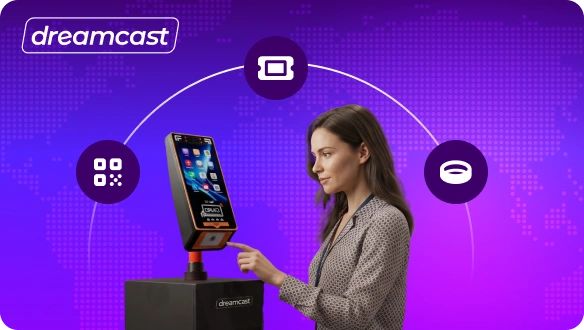
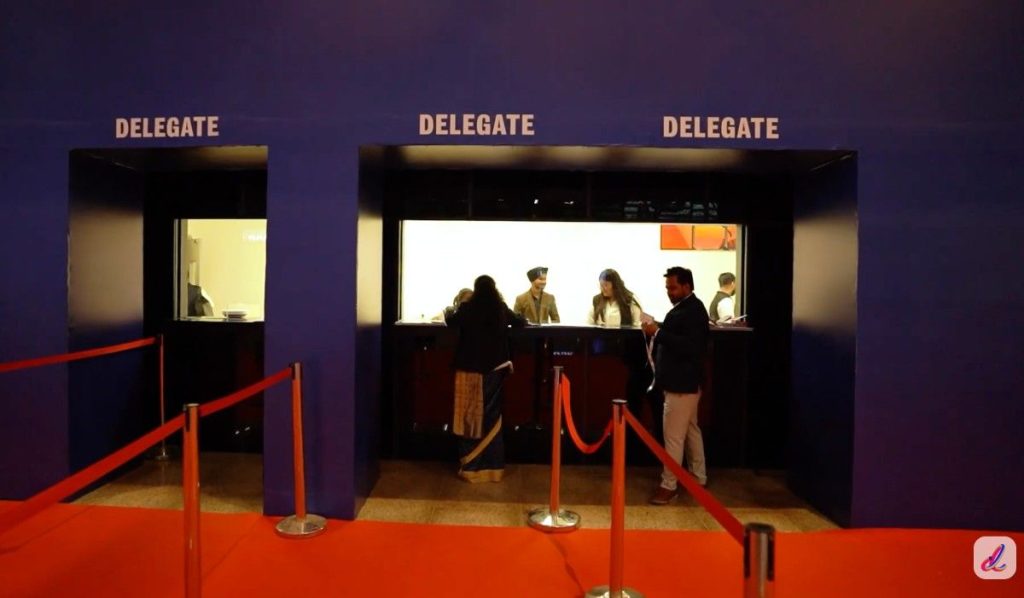
Long queues can affect the attendee experience before the event even begins. Dreamcas’s event check-in solution supports QR code check-in, self-check-in kiosks, and instant badge printing in seconds, helping organizers move thousands of attendees through entry points quickly while reducing waiting time.
3. Advanced Access Control Across Multiple Event Zones
Enterprise events usually have restricted areas such as VIP lounges, conference rooms, speaker zones, media centers, workshops, and exhibitor sections. Dreamcast allows organizers to assign access permissions based on attendee categories, helping improve security while simplifying venue management.
4. Complete Onsite Event Management
Managing a large event involves much more than registration. Dreamcast supports onsite staff with attendee verification, walk-in registration, badge reprinting, real-time attendee monitoring, help desks, kiosk management, and live reporting, allowing organizers to respond quickly throughout the event.
5. Flexible Customization for Enterprise Requirements
Every enterprise event follows different approval rules, branding guidelines, communication plans, and reporting needs. Dreamcast offers customizable registration forms, branded event websites, automated emails and WhatsApp notifications, role-based permissions, and integrations that fit different business requirements.
6. Experienced Support Before and During the Event
Technology alone cannot guarantee a successful event. Large conferences often require planning support, onsite technical teams, and quick issue resolution. Dreamcast combines its event technology with experienced event specialists who assist organizers before, during, and after the event, helping operations run smoothly.
Dreamcast Pros and Cons
| Pros | Cons |
| Designed for enterprise and large-scale events | Some advanced capabilities may be more than small events require |
| Fast QR check-in and instant badge printing | Initial planning can take longer for highly customized events |
| Supports self-service kiosks and walk-in registration | Enterprise pricing may not suit very small events |
| Strong access control and attendee verification | Some features require onboarding for first-time users |
| Highly customizable registration workflows | The best value is seen in medium to large events |
| Dedicated onsite event support |
What Is Zoho Backstage?
Zoho Backstage is an event management platform developed by Zoho to help businesses organize in-person, virtual, and hybrid events. It combines registration, ticketing, event websites, agenda management, attendee engagement, speaker management, and event analytics in one platform.
One of its biggest strengths is its integration with the Zoho ecosystem. Organizations already using Zoho CRM, Zoho Campaigns, Zoho Meeting, or other Zoho applications can manage event data more easily across their business tools. This reduces manual work and keeps attendee information in one place.
Zoho Backstage is commonly used for corporate meetings, training sessions, product launches, customer events, webinars, and business conferences. It also offers a mobile app that helps attendees view schedules, receive updates, network with other participants, and interact during sessions. While it supports many event management tasks, its primary focus is digital event planning and attendee engagement rather than large-scale onsite operations.
What Makes Zoho Backstage a Good Fit for Business Events?
1. Easy Event Website and Registration Setup
Zoho Backstage allows organizers to create branded event websites without needing technical skills. Registration forms, ticket options, payment collection, and confirmation emails can be configured through a user-friendly interface, making event setup faster for business teams.
2. Strong Integration with Zoho Applications
Organizations already using Zoho products benefit from built-in integration with tools such as Zoho CRM, Zoho Campaigns, Zoho Desk, and Zoho Meeting. This helps marketing, sales, and event teams work with the same attendee data across different business functions.
3. Mobile App for Attendees
The platform includes a mobile event app where attendees can access agendas, session details, venue information, speaker profiles, announcements, and networking features. This keeps important event information available throughout the event.
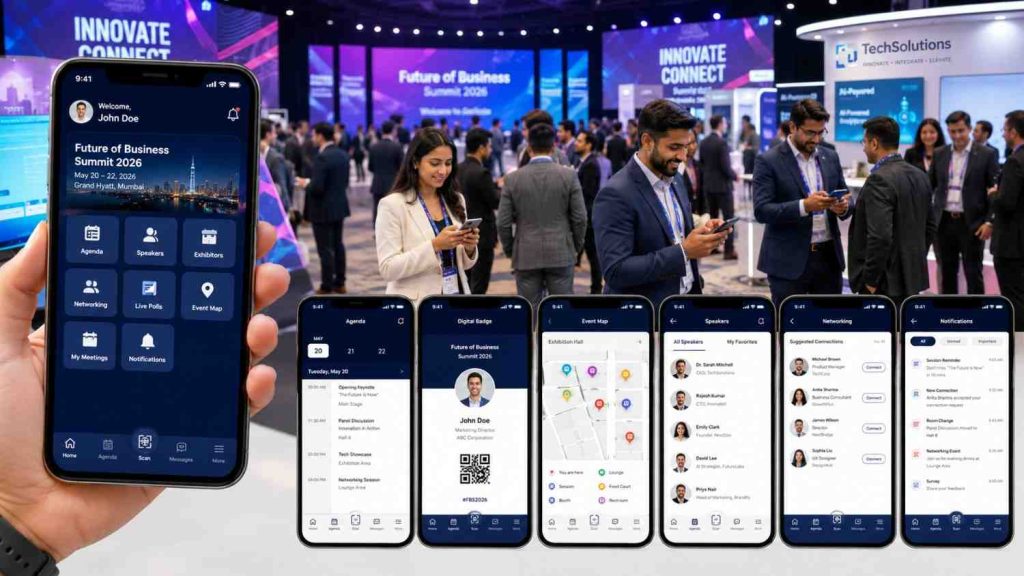
4. Session and Speaker Management
Managing conference sessions becomes easier with tools for agenda creation, speaker profiles, schedule updates, and attendee communication. Organizers can publish changes instantly so attendees always have access to the latest event schedule.
5. Built-in Engagement and Event Analytics
Zoho Backstage includes features such as live polls, Q&A sessions, attendee interaction, surveys, announcements, and post-event reports. These tools help organizers measure participation and collect useful feedback after the event.
Zoho Backstage Pros and Cons
| Pros | Cons |
| Easy to set up and manage | Limited onsite event operation features for very large events |
| Strong integration with the Zoho ecosystem | Basic access control compared to enterprise-focused platforms |
| Supports in-person, virtual, and hybrid events | Instant badge printing capabilities are less comprehensive |
| Includes attendee engagement features | Large multi-entry events may require additional operational support |
| User-friendly interface | Less focused on complex enterprise event workflows |
| Mobile event application included | Customization options can be limited for highly specialized events |
Dreamcast vs Zoho Backstage: Detailed Comparison
| Feature | Dreamcast | Zoho Backstage |
| Best suited for | Enterprise conferences, expos, exhibitions, government events, association events | Corporate meetings, business conferences, seminars, webinars |
| Ideal attendee size | Hundreds to 100,000+ attendees | Small to large business events |
| Event types | In-person, hybrid, virtual | In-person, hybrid, virtual |
| Registration management | Advanced with multiple attendee categories and workflows | Standard registration with customizable forms |
| Approval-based registration | Advanced | Available |
| Ticketing | Yes | Yes |
| Event website builder | Yes | Yes |
| QR code check-in | Enterprise-grade | Yes |
| Self-service check-in kiosks | Yes | Limited |
| Walk-in registration | Yes | Basic |
| Instant badge printing | High-speed onsite printing | Limited support |
| Badge reprinting | Yes | Basic |
| Access control | Advanced multi-zone access | Basic attendee access management |
| Attendee verification | Real-time | Standard |
| Mobile event app | Yes | Yes |
| Networking features | Yes | Yes |
| Lead retrieval | Yes | Limited |
| Exhibitor management | Yes | Available |
| Sponsor management | Yes | Yes |
| Agenda management | Yes | Yes |
| Speaker management | Yes | Yes |
| Live polls and Q&A | Yes | Yes |
| Surveys and feedback | Yes | Yes |
| Analytics and reporting | Advanced real-time dashboards | Standard event analytics |
| Custom branding | Extensive | Good |
| Third-party integrations | A wide range of integrations | Strong within the Zoho ecosystem |
| Dedicated onsite support | Yes | Limited depending on the plan |
| Suitable for complex enterprise events | Excellent | Moderate |
Why Do Enterprise-Level Event Organizers Prefer Dreamcast Over Zoho Backstage?
When event size grows, organizers need more than registration software. They need a platform that supports planning, onsite execution, attendee movement, security, and reporting without relying on multiple tools. Here are some reasons why many enterprise event organizers choose Dreamcast for large events.
- Designed for high-attendance events: Dreamcast supports conferences, exhibitions, expos, and government events with attendance ranging from a few hundred people to well over 100,000 participants.
- Faster onsite check-in: QR code scanning, self-service kiosks, and instant badge printing help reduce waiting time at entry points and improve the arrival experience for attendees.
- Advanced access management: Different attendee groups can be given different access permissions, making it easier to manage VIP areas, speaker lounges, workshops, exhibitor zones, and restricted sessions.
- Complete onsite event operations: Beyond registration, Dreamcast helps manage walk-in registrations, badge reprints, attendee verification, help desks, and real-time event monitoring from a single platform.
- Flexible registration workflows: Enterprise events often require approval-based registration, invitation-only access, multiple ticket categories, custom forms, and automated communication. Dreamcast supports these requirements without adding unnecessary complexity.
- Support for exhibitors and sponsors: Trade shows and exhibitions often involve exhibitors, sponsors, partners, and buyers. Dreamcast includes tools that help organizers manage these groups alongside general attendees.
- Dedicated event support: Large events leave little room for technical issues. Dreamcast provides experienced support teams before, during, and after the event, helping organizers respond quickly if operational needs change.
- One platform for the entire attendee journey: From registration and payment to check-in, badge printing, networking, engagement, and reporting, Dreamcast reduces the need to manage multiple systems during a live event.
Conclusion
Both Dreamcast and Zoho Backstage are capable event management platforms, but they are built with different priorities.
Zoho Backstage is a good choice for organizations that want an easy-to-use platform for business events, meetings, webinars, and conferences, especially if they already use other Zoho products. It combines registration, ticketing, event websites, mobile apps, and attendee engagement in one solution, making it suitable for many business events.
Dreamcast, on the other hand, is designed for organizers who manage larger and more operationally complex events. It combines enterprise registration, high-speed check-in, instant badge printing, self-service kiosks, access control, attendee verification, networking, and onsite event management in a single platform.
If your event success depends on moving thousands of attendees efficiently, managing multiple attendee categories, maintaining secure venue access, and delivering a smooth onsite experience, Dreamcast offers the broader set of capabilities needed for enterprise-scale event management.
FAQs
Yes. Zoho Backstage supports in-person, virtual, and hybrid events. It also includes registration, ticketing, event websites, mobile apps, agenda management, attendee engagement, and event analytics.
Dreamcast provides a more complete onsite check-in solution with QR code scanning, self-service kiosks, instant badge printing, walk-in registration, and real-time attendee verification. These features are particularly valuable for high-attendance events.
Yes. Dreamcast supports approval-based registration, invitation-only events, multiple attendee categories, customized registration forms, automated communication, and flexible registration workflows for enterprise event requirements.
Zoho Backstage is often the better choice for businesses that already use Zoho CRM, Zoho Campaigns, Zoho Meeting, and other Zoho applications because attendee data can move more easily between those systems.
Yes. Both Dreamcast and Zoho Backstage offer mobile event apps that allow attendees to view schedules, receive announcements, access event information, participate in engagement activities, and network with other attendees.
Dreamcast is generally the stronger choice for exhibitions and trade shows because it includes features such as exhibitor management, lead retrieval, access control, high-speed badge printing, and onsite attendee management that are commonly required for these event formats.