
TL;DR
Hosting a virtual event is easier with a simple process:
- Set a clear goal and know your audience.
- Pick a format and platform that fit your budget.
- Plan a short agenda and promote early.
- Rehearse and keep a backup plan ready.
- Keep people involved with polls, chat, and networking.
- Follow up within 24 hours and measure results.
Introduction
If you’re wondering how to host a virtual event that people actually enjoy, you’re in the right place. Online events now power product launches, conferences, and lead generation, and the market reflects it. Grand View Research projects the global virtual events market will reach about $145.0 billion in 2026 and $472.9 billion by 2033, growing at a CAGR of 18.4%.
But hosting a virtual event is not the same as hosting an in-person one. Attention spans are shorter, distractions are one click away, and one audio glitch can derail a session. This guide shows you how to host virtual events step by step.
Why Host a Virtual Event?
- Wider reach: Attendees join from any city or country. AM World Group says adding a virtual component raises total event reach by 2.5x on average, and 41% of virtual attendees say they wouldn’t have traveled to an in-person event.
- Lower costs: Skip venue, catering, travel, and printing.
- Faster planning: Go from idea to live event in weeks.
- Measurable results: Registrations, watch time, and chat are tracked automatically.
- Lasting content: Recordings become on-demand and marketing assets.
- Accessibility: Remote access helps people with busy schedules or limited mobility.
- Marketing value: Use virtual events regularly to promote your business, reach new audiences, and attract potential customers.
Types of Virtual Events You Can Host
Pick the format that suits your goal.
Webinars
A live online talk with Q&A, ideal for education and lead generation, and the easiest place to start.
Virtual Conferences
Online events featuring keynote speakers, panel discussions, and multiple sessions, sometimes held over several days.
Virtual Workshops
Hands-on sessions for small groups, with breakout rooms and live exercises.
Hybrid Events
An in-person event streamed live online, so you reach local and global audiences.
Virtual Product Launches and Networking Events
Launches use live demos to build excitement; networking events use matchmaking and chat lounges.
Not sure which format suits your goals? Read our guide on webinar vs. video conference vs. virtual event to understand the key differences and choose the right format for your audience.
Quick Tips to Host a Virtual Event Successfully
- Define one clear goal first. Nearly half of marketers (45.7%) say generating pipeline is the main goal of their virtual events, according to Markletic.
- Keep sessions to 30-45 minutes.
- Promote 3-4 weeks ahead.
- Rehearse and prepare a backup plan.
- Follow up within 24 hours.
Also Check: Virtual Event Planning Checklist
How to Host a Virtual Event: Step-by-Step
Step 1: Set Clear Goals and Know Your Audience
Every decision flows from your goal. Decide what success looks like for you and your attendees, then set two or three measurable targets, such as registrations, attendance rate, qualified leads, or engagement.
Next, define your audience: their industry, role, time zone, and the problem your event solves. Pick a narrow niche, since a focused topic attracts more relevant attendees than a broad one.
Finally, add a clear vision and a unique hook, the reason people choose your event over the many others competing for their time. A good hook is original, interesting, and fits your event’s purpose.
Step 2: Set Your Budget and Choose an Event Format
Estimate your costs early: platform, speaker fees, marketing, design, production, and engagement or analytics tools. Add a contingency of about 10 percent.
Then match the format to your purpose. A webinar suits education and lead generation on a modest budget. A multi-day conference builds brand presence but needs more resources. Decide whether sessions will be live, pre-recorded, or a mix. Pre-recorded segments with live Q&A reduce risk while keeping the event interactive.
Build your timeline backward from the event date. Cover pre-event tasks, the event itself, and post-event analysis, and account for your audience’s time zones. For B2B events, get client sign-off on the schedule early.
Step 3: Choose the Right Virtual Event Platform
Your platform is your venue, so choose carefully. Simple webinars can run on standard video tools, but events with gamification, networking, and branding need a dedicated virtual event platform. Look for:
- Easy access: Browser-based joining and mobile optimization, since many attendees will join from phones.
- Interactive features: Polls, Q&A, chat, breakout rooms, and networking tools.
- Registration and ticketing: Built-in forms, payments, and automated emails.
- Branding and design: Custom logos, colors, and lobby pages that draw attendees in.
- Analytics: Attendance, engagement, and feedback reports.
- Security and reliability: Data protection and stable performance at your audience size.
- Accessibility: Closed captions and keyboard navigation.
- Integrations and support: CRM and email connections, plus responsive technical help.
Prefer a provider with experience in your niche, and test it with a small group before you commit.
Step 4: Plan Your Agenda and Content
Respect attention spans. Use focused 30-45 minute sessions with 10-minute breaks, and mix keynotes, panels, demos, Q&A, and networking to keep energy up.
Pick speakers who fit your niche and vision, not just the biggest names. Review their past talks, since a weak speaker can hurt the whole event. Build relationships with speakers and influencers early and stay in touch throughout planning. Aim for a win-win: speakers get exposure, attendees get real value, and you meet your goals.
Make content actionable by giving attendees clear next steps after each talk. Prepare slides, handouts, and a moderator script, and plan interactive moments such as an opening poll or a midday quiz.
Step 5: Set Up Registration and Promote Your Event
Create a dedicated event website or landing page that says what the event is, who it’s for, when it happens, and why it matters. Website builders offer quick templates. Keep the registration form short, since every extra field lowers sign-ups.
Promote across channels:
- Email: Invite your list and send a reminder series. Email is the channel to prioritize: in a Markletic survey of event marketers, 76% said it’s the most effective way to drive virtual event registrations.
- Social media: Share speaker spotlights, teasers, and countdowns.
- Speakers and partners: Promote them and ask them to share with their audiences.
- Affiliates and listings: Use partners and event sites to widen reach.
- Paid ads: Target specific audience segments.
- Blog content: Publish articles that tie into your event topic.
Step 6: Prepare Your Team and Tech
Assign clear roles: host, technical producer, chat and Q&A moderator, and attendee support. Brief each person so they know their job.
Check your tech: a fast, stable internet connection, reliable streaming tools, and security to protect attendee data. Then run a full rehearsal with every speaker, testing audio, video, screen sharing, slides, polls, and transitions.
Coach your presenters on their setup:
- Use a wired connection and a good microphone.
- Choose a quiet space and check for background noise.
- Light the face with soft, natural light or a desk lamp, not from behind.
- Place the camera at eye level.
- Keep the background clean.
Technical problems will happen, so plan for them. Line up a backup host, a second internet source, and pre-recorded fallback segments. Mute all participants before the session starts.
Step 7: Go Live and Host the Event
Open the virtual room early with a welcome slide or music so attendees can settle in. A short live hangout before the main session can warm up the crowd.
Start on time with a friendly intro covering the agenda, how to ask questions, and where to find resources. Keep the pace brisk. Your moderator should pull questions from the chat, run polls on schedule, and keep speakers on time. Watch audio and video quality, and keep your support team ready to help anyone who can’t join.
Close with a short recap, a clear call to action, and how to get the recording. Then thank your speakers and attendees on the spot.
Step 8: Follow Up and Measure Success
Within 24 hours, email attendees and no-shows a thank-you note, the recording, slides, and any promised resources. Edit the recording so it’s clean and focused, and keep a copy of every presentation for people who couldn’t attend live.
Send a short, personalized feedback form, and point attendees to a polished landing page where they can learn more and take the next step.
Then check your results against your original goals:
- Registrations and attendance rate
- Watch time and drop-off points
- Poll responses, questions, and chat activity
- Leads and conversions
- Satisfaction scores
Hold a debrief with speakers and partners to thank them and capture lessons. Then repurpose recordings into clips, blog posts, and social content.
How to Keep Attendees Engaged During a Virtual Event
Engagement is the biggest challenge in hosting a virtual event, since attendees can multitask or leave at any moment. Build interaction into every stage.
Use Live Polls, Q&A, and Chat
Polls make it easy to take part, live Q&A helps people feel heard, and chat builds community. Assign a moderator to keep it flowing.
Encourage Networking and Breakout Discussions
Many attendees come to connect. Offer breakout rooms, speed networking, and topic lounges.
Add Gamification, Quizzes, and Interactive Activities
Leaderboards, trivia, and prize draws keep people involved. For rewards that work, see these virtual gift ideas for events.
Offer On-Demand Content and Exclusive Experiences
Recordings, resource libraries, and private speaker Q&As extend the value after the live session.
For more ideas, see these virtual event engagement ideas.
Common Mistakes to Avoid When Hosting a Virtual Event
- No clear goals: You can’t plan or measure success.
- Overloading the agenda: Packed schedules cause fatigue. 45% of organizers now choose shorter multi-day events to fight virtual event fatigue, per Markletic.
- Skipping rehearsals: Untested tech causes glitches.
- Promoting too late: Last-minute marketing means low turnout.
- One-way presentations: Without interaction, it feels like watching a video.
- Poor audio: Attendees forgive plain slides faster than bad sound.
- Weak follow-up: Silence after the event wastes your momentum and leads.
How Dreamcast Can Help You Host a Virtual Event
You don’t have to manage every moving part alone. Dreamcast offers end-to-end support for virtual events, webinars, hybrid events, and live streaming.
From branded event spaces and registration to live streaming and on-call tech support, the Dreamcast team helps you deliver a smooth, professional event. Interactive tools like polls, Q&A, networking lounges, and gamification keep your audience involved, and analytics show how you performed. You focus on your content and audience while Dreamcast handles the technology.
Conclusion
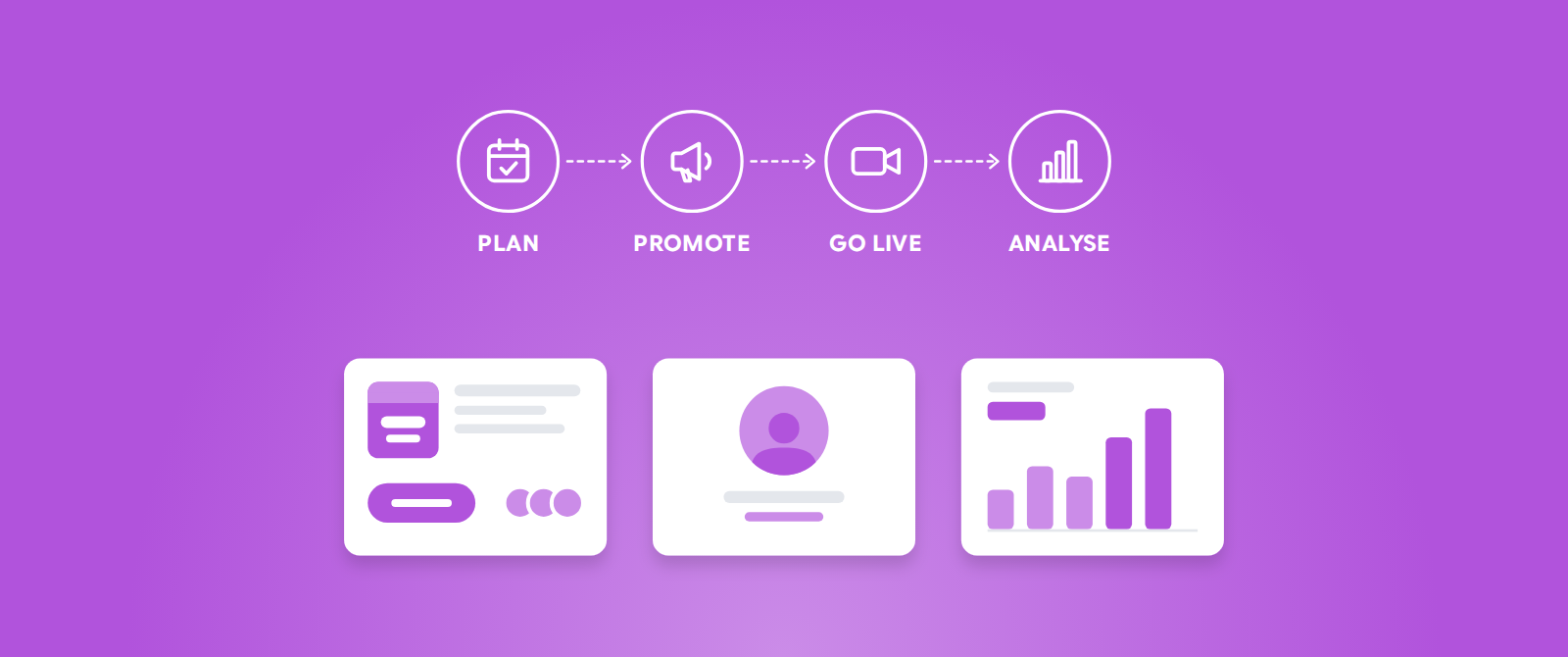
Hosting a virtual event follows a clear process. Define your goals, know your audience, choose the right format and platform, plan an engaging agenda, promote early, prepare for problems, and follow up with purpose. Skipping a step weakens the whole event.
If you’re new to hosting virtual events, start with a webinar, learn from the results, and scale up. With careful planning and a focus on engagement, even your first virtual event can leave a strong impression.
FAQs
Start with a webinar. Set one clear goal, pick an easy-to-use platform, plan a short agenda, promote for three to four weeks, and rehearse with your speakers.
A simple webinar can be ready in two to four weeks. Larger virtual conferences usually need two to three months or more.
You need a clear goal, a platform, stable internet, good audio and video gear, speakers, a registration page, and a team for moderation and tech support.
Use live polls, Q&A, chat, breakout rooms, quizzes, and games. Plan interaction into your agenda from the start.
Yes, for small, simple events. Free video tools usually limit attendee numbers, session length, branding, and analytics. For larger or more professional events, a paid platform is worth it.