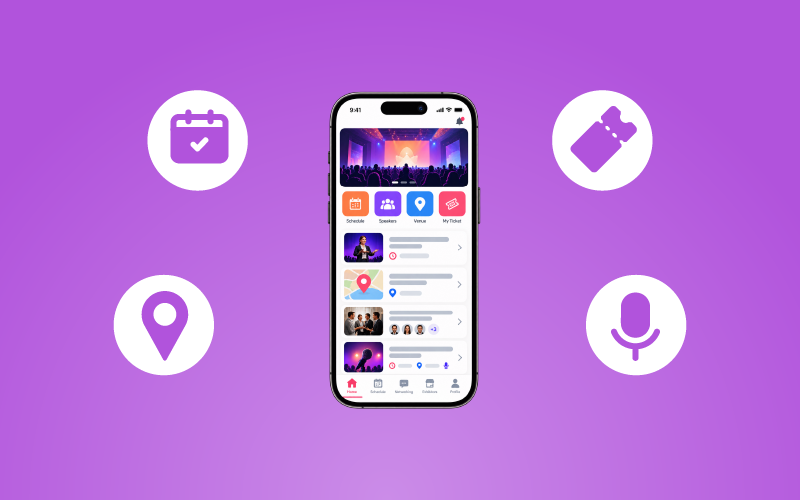

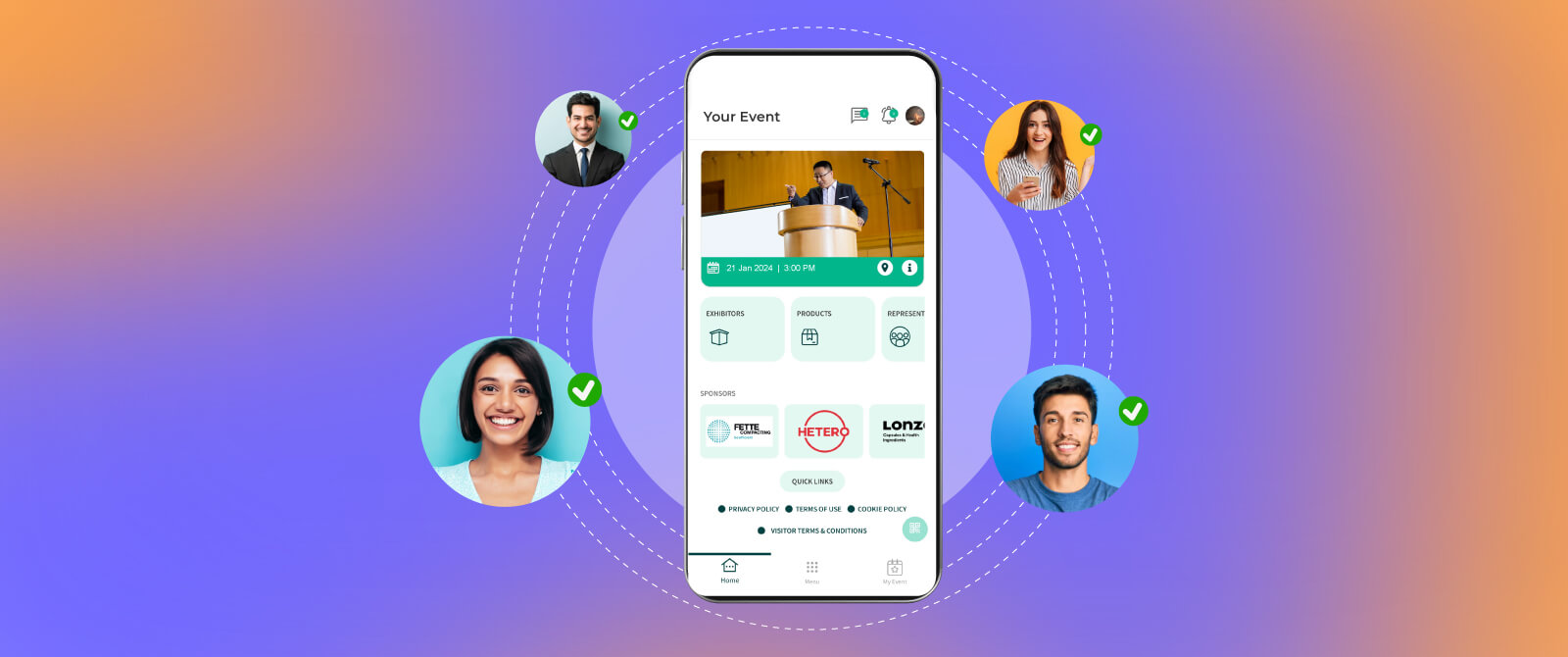
An event attendee mobile app brings many of these activities together in one digital space. It gives attendees convenient access to event information, personalized schedules, networking opportunities, session updates, and interactive features.
At the same time, organizers can use it to improve communication, coordinate attendee activities, and understand how people interact with the event.
These responsibilities become even more challenging when you are handling a large conference, exhibition, trade show, or multi-day corporate event.
But what should an event mobile app actually offer? How can attendees use it to save time? How do you select one that fits your event requirements?
Let us find out everything you need to know before choosing an attendee mobile event app.
Table of Contents
TL;DR
An event attendee mobile app is a digital platform that helps participants access event information, manage schedules, check in, connect with other attendees, and participate in sessions.
For organizers, it supports event registration, real-time communication, attendee engagement, networking, and event analytics.
When selecting an app, evaluate its usability, essential features, customization, integrations, accessibility, security, scalability, and technical support to ensure it meets your event objectives.
What Is an Event Attendee Mobile App?
An event attendee mobile app is a smartphone application designed to help participants access information and interact with an event before, during, and after it takes place.
Instead of relying on printed schedules, separate emails, physical brochures, and multiple communication channels, attendees can use one application to find important event details and manage their participation.
An attendee mobile event app may include, according to the platform:
- Event registration and digital ticket access
- QR code-based check-in
- Personalized event schedules
- Speaker and exhibitor information
- Interactive venue maps
- Attendee networking and messaging
- Live polls, Q&A, and surveys
- Real-time push notifications
- Session recordings and downloadable resources
- Event feedback and engagement tools
For event organizers, the app can also function as an event management app that connects attendee-facing activities with event operations.
It can be used for in-person conferences, exhibitions, corporate meetings, festivals, virtual events, and hybrid gatherings. Its exact capabilities depend on the event format and the platform selected.

Why Do Large-Scale Events Need an Attendee Mobile Event App?
Managing a small meeting and coordinating a conference with thousands of participants are two different challenges.
At large events, attendees may need to navigate multiple halls, choose between simultaneous sessions, visit exhibitor booths, attend networking activities, and keep track of schedule changes. Organizers, meanwhile, must communicate with different attendee groups and coordinate several activities at once.
Without a centralized communication and information platform, attendees may struggle to find updates, while event teams may have to manage repeated questions and information requests.
An event attendee mobile app can help address these challenges in several ways:
- Centralized event information: Attendees can find schedules, venue details, speaker profiles, and event announcements in one place.
- Better crowd coordination: QR code check-in, digital passes, and access management can help organize entry procedures and reduce manual work.
- Simplified communication: Organizers can share schedule changes, session reminders, and important announcements through push notifications.
- Improved attendee navigation: Interactive maps help participants locate session halls, exhibition booths, food areas, and other facilities.
- More organized networking: Attendee directories, matchmaking, and messaging features help participants discover relevant connections.
These capabilities make an event mobile app a useful event technology solution for managing complex attendee journeys, particularly when multiple activities happen simultaneously.
How Does an Event Attendee Mobile App Work Before, During, and After an Event?
An attendee app is not just something participants open when they reach the venue. Its usefulness can begin during event preparation and continue after the event ends.
Before the Event: Registration and Preparation
Before arriving, attendees can use the app to:
- Complete or access event registration.
- View their digital tickets or QR codes.
- Explore the event agenda and speaker profiles.
- Bookmark sessions they want to attend.
- Review venue information and travel instructions.
- Create attendee profiles and explore networking opportunities.
This gives participants a clearer idea of what to expect and helps them prepare their schedules in advance.
During the Event: Participation and Navigation
Once the event begins, attendees can use the app to:
- Scan their QR codes for event check-in.
- View their personalized schedules.
- Receive session reminders and important announcements.
- Navigate between halls using interactive maps.
- Connect with other participants through networking tools.
- Participate in live polls, Q&A sessions, and surveys.
- Access exhibitor information and event resources.
For organizers, these interactions can also provide useful information about attendee participation and app engagement.
After the Event: Resources and Follow-Ups
The attendee experience does not necessarily end when the event closes. Depending on the app’s capabilities, participants may be able to:
- Access session recordings and presentation materials.
- Review notes and bookmarked resources.
- Continue conversations with new connections.
- Complete feedback surveys.
- Receive follow-up announcements and event updates.
This helps organizers maintain communication and extend the value of the event beyond its scheduled dates.

Key Benefits of an Event Attendee Mobile App
The real value of an attendee mobile event app comes from how it makes participation easier. Here are some practical ways it can improve the attendee experience.
1. Faster Registration and Check-In
Long queues at the entrance can create frustration before the event even begins.
An event registration app integrated with QR code check-in can simplify entry. Attendees can access their digital passes and present them at the registration counter for scanning.
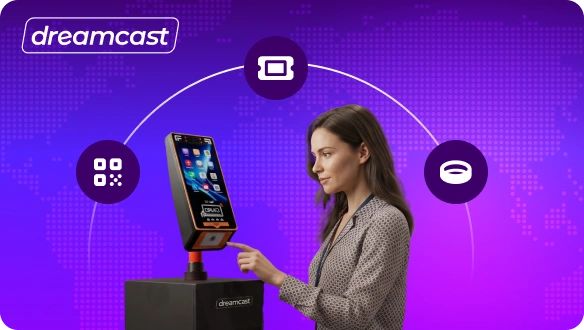
Organizers can also consider self-service kiosks and on-demand badge printing, depending on the venue and event requirements.
For large-scale events, these options can help reduce manual registration work and improve entry coordination.
2. Personalized Event Schedules
Large conferences and exhibitions often have multiple sessions running simultaneously. Attendees may find it difficult to keep track of everything they want to attend.
A personalized agenda allows participants to bookmark sessions, create their own schedules, and receive reminders before selected activities begin.
This saves time and helps attendees plan their day around their interests.
3. Easier Venue Navigation
Finding the correct hall, exhibitor booth, meeting room, or networking area can be challenging in a large venue.
Interactive maps and digital floor plans help attendees understand the event layout. They can use these tools to locate important areas without repeatedly asking event staff for directions.
Some platforms also support wayfinding or location-based information, depending on the venue setup.
4. Better Networking Opportunities
Networking is one of the major reasons people attend professional events.
An attendee mobile app can make it easier to discover and connect with relevant participants through:
- Attendee directories
- In-app messaging
- AI-assisted matchmaking, where available
- Digital business card exchange
- Meeting scheduling
- Speaker and exhibitor profiles
Instead of relying entirely on spontaneous conversations, participants can identify people they want to meet and plan interactions.
5. Real-Time Updates and Communication
Event schedules can change because of speaker availability, venue requirements, or operational issues.
Push notifications allow organizers to communicate important updates directly through the app. Attendees can receive information about session changes, upcoming activities, networking opportunities, and relevant announcements.
This reduces dependence on printed notices and helps participants stay informed.
6. More Interactive Sessions
An event should encourage attendees to participate rather than simply listen.
Features such as live polls, Q&A, quizzes, and surveys allow participants to share opinions and interact with speakers.
For example, a conference speaker can conduct a live poll to understand audience preferences or invite attendees to submit questions through the app.
These tools can improve attendee engagement while giving organizers and speakers useful feedback.
7. Convenient Access to Event Content
Participants often want to revisit presentations, speaker materials, or discussions after a session.
An event mobile app can provide access to downloadable documents, presentation slides, session recordings, and other resources.
This is particularly useful for multi-day conferences where attendees may not be able to participate in every session.
8. Simplified Feedback and Post-Event Engagement
Collecting feedback through paper forms can be inconvenient for attendees and difficult for organizers to consolidate.
In-app surveys and session ratings make it easier for participants to share their experiences. Organizers can use the responses to understand what worked, identify improvement areas, and plan future events.
The app can also support post-event communication and continued networking.
9. Cashless Transactions, Where Supported
Some event mobile apps can integrate with payment systems or digital wallets.
This can allow attendees to make purchases for food, merchandise, or other event services without depending on physical cash.
However, payment capabilities vary by platform. Organizers should check supported payment methods, transaction security, and integration requirements before treating this as a core app feature.

Essential Features to Look for in an Event Mobile App
Not every event needs every available feature. The right combination depends on the event format, attendee expectations, operational requirements, and budget.
However, these are some important capabilities to evaluate.
| Feature | Why It Matters |
| Registration and ticketing | Helps attendees register and access their event passes. |
| QR code check-in | Supports faster attendee verification and entry. |
| Personalized agendas | Allows attendees to bookmark sessions and plan their schedules. |
| Push notifications | Communicates important updates and reminders. |
| Attendee profiles and directories | Helps participants discover other attendees. |
| Networking and messaging | Supports direct communication and meeting coordination. |
| Interactive maps | Helps participants navigate the venue. |
| Speaker and exhibitor profiles | Makes event information easier to explore. |
| Live polls and Q&A | Encourages participation during sessions. |
| Gamification | Adds challenges, rewards, and interactive activities. |
| Surveys and feedback | Helps organizers collect attendee opinions. |
| Analytics and reporting | Provides insights into app usage and participation. |
| Third-party integrations | Connects the app with existing event systems. |
| Security and privacy controls | Helps protect attendee information. |
| Offline or low-connectivity access | Allows access to selected information when internet connectivity is limited. |
Before finalizing a platform, confirm which features are included, which require additional integrations, and which may involve extra costs.
How Does an Event Management App Help Organizers?
While attendees use the app to make their event experience easier, organizers can use it to coordinate activities and understand participant behaviour.
Here are some important organizer benefits.
Centralized Attendee Communication
Instead of managing every announcement through separate communication channels, organizers can use the app to share relevant updates and reminders.
This can make communication more organized, particularly when different attendee groups need different information.
Better Event Attendee Engagement
Organizers can use polls, Q&A, gamification, networking, and surveys to encourage active participation.
They can also review engagement data to understand which features and activities receive attention.
Improved Sponsor and Exhibitor Visibility
An app can provide dedicated sponsor and exhibitor profiles, branded content, promotional placements, and notifications.
Organizers can also explore sponsored activities or booth-based challenges, depending on the event’s commercial objectives.
Useful Event Analytics
An event management app may provide reports on:
- App downloads and active users
- Session bookmarks and attendance, where tracked
- Poll and Q&A participation
- Networking interactions
- Survey responses
- Notification engagement
- Content views and resource downloads
These insights can help organizers understand how attendees interacted with the event.
However, app activity should not be treated as a complete measure of event success. It should be considered alongside registrations, actual attendance, feedback, sponsor outcomes, and other event objectives.
More Efficient Event Coordination
A centralized app can reduce the need to distribute information across multiple disconnected channels. When integrated with registration, ticketing, CRM, or other event systems, it can also help teams coordinate attendee information more effectively.

How to Choose the Right Event Attendee Mobile App: A Step-by-Step Guide
Choosing an app based on the number of features it offers can be misleading. A platform may have dozens of capabilities, but that does not mean it will address your event’s actual challenges.
Use the following steps to evaluate your options.
Step 1: Define Your Event Goals
Start by identifying what you want the app to accomplish.
Are you trying to simplify registration, improve networking, increase attendee engagement, support a large exhibition, or manage communication across a hybrid event?
Write down your main objectives before comparing platforms. This will help you distinguish essential capabilities from optional additions.
Step 2: Understand Your Audience
Think about who will use the app and how comfortable they are with mobile technology.
For example, a corporate conference may require professional networking and meeting scheduling, while a public festival may prioritize maps, schedules, announcements, and ticket access.
Also consider accessibility. Look for features such as adjustable text sizes, sufficient colour contrast, screen-reader compatibility, and straightforward navigation.
Step 3: Evaluate the Essential Features
Compare the platform’s capabilities with the requirements you identified earlier.
Check whether it supports registration, check-in, personalized agendas, networking, notifications, engagement tools, analytics, and other features relevant to your event.
Ask the provider to demonstrate how these features work rather than relying only on a feature list.
Step 4: Check Customization and Branding
The app should reflect your event’s identity and provide a consistent attendee experience.
Check whether you can customize logos, colours, banners, event information, and the overall interface. Also ask whether you can control which features are visible to attendees.
Step 5: Review Integration Capabilities
Your app may need to work with existing event registration systems, CRM platforms, ticketing tools, payment gateways, or virtual event platforms.
Confirm which integrations are available, whether they are native or require additional development, and how attendee information is synchronized.
Step 6: Assess User Experience
An app should be easy to understand, even for someone using it for the first time.
Check how quickly attendees can find schedules, access tickets, locate sessions, and connect with other participants.
A complicated interface can discourage usage and reduce the value of the platform.
Step 7: Review Analytics and Reporting
Ask what information the app collects and how organizers can access reports.
Look for useful engagement metrics, session-level insights, survey responses, and reporting options. Make sure the available data aligns with your event goals.
Step 8: Check Security and Data Privacy
Attendee apps may handle personal information, contact details, registration records, and other sensitive data.
Ask the provider about data storage, access controls, encryption, retention policies, and relevant privacy compliance. Also understand how attendee consent and communication preferences are managed.
Step 9: Compare Pricing and Technical Support
Compare the total cost rather than looking only at the initial quoted price.
Check whether customization, integrations, additional users, support, or advanced features involve extra charges.
Also confirm the availability of technical assistance during critical event hours, when quick issue resolution matters.
Step 10: Test the App Before Launch
Before introducing the app to all attendees, conduct a practical test.
Ask a small group to complete common activities such as logging in, accessing tickets, creating schedules, finding a venue location, and using networking features.
Use their feedback to identify confusing steps and resolve technical issues before the event begins.
How to Encourage Attendees to Use Your Event Mobile App
Even a well-designed app will provide limited value if attendees do not know about it or understand how to use it.
Here are a few practical ways to encourage adoption:
- Promote the app before the event: Include download or access instructions in registration confirmations, event emails, and attendee communication.
- Explain its benefits: Tell participants what they can do with the app, such as accessing tickets, creating schedules, finding venue maps, and connecting with other attendees.
- Make onboarding simple: Provide clear login instructions and a short guide explaining the most useful features.
- Use on-site reminders: Display QR codes at registration counters, information desks, and prominent venue locations so attendees can access the app easily.
- Keep information updated: Make sure schedules, speaker details, maps, and announcements remain accurate throughout the event.
- Encourage feature adoption: Use session reminders, polls, networking activities, and interactive challenges to give attendees practical reasons to return to the app.
Last Words
An event attendee mobile app can make event participation more organized by bringing registration, schedules, communication, networking, navigation, and engagement tools together in one place. For organizers, it can also support large-scale event management, simplify attendee communication, and provide useful insights into event activity.
However, the right app is not necessarily the one with the longest feature list. It is the one that matches your event objectives, works for your audience, integrates with your existing systems, and remains easy to use.
Before making a decision, evaluate the attendee journey, compare essential capabilities, review security and support, and test the platform. A well-chosen event mobile app, like the one provided by Dreamcast, can help create a more connected and convenient experience for everyone involved.
FAQs
An event attendee mobile app is a smartphone application that allows participants to access event information, view schedules, check in, connect with other attendees, and participate in sessions. Organizers can also use it to share updates, manage engagement, and review event activity.
It gives attendees convenient access to tickets, personalized schedules, venue maps, speaker details, networking tools, and real-time notifications. These features help participants save time, stay informed, and make better use of their event experience.
Important features include registration and ticketing, QR code check-in, personalized agendas, push notifications, interactive maps, attendee networking, live polls, Q&A, surveys, and analytics. The exact requirements depend on the event format and audience.
An event management app can centralize attendee information, simplify check-in, distribute real-time updates, support venue navigation, and facilitate networking. These capabilities help organizers coordinate attendee activities across large venues and complex event schedules.
It can encourage participation through live polls, Q&A sessions, gamification, networking, personalized recommendations, and feedback surveys. These features give attendees more opportunities to interact with speakers, organizers, exhibitors, and other participants.
Start by defining your event objectives and understanding your audience. Then compare essential features, usability, customization, integrations, analytics, accessibility, security, pricing, scalability, and technical support. Test the platform before launching it to attendees.