
Table of Contents
TL;DR
A Custom Mobile Event App brings event schedules, speaker details, networking, notifications, and engagement tools into one branded experience. Its features can be tailored to the needs of conferences, exhibitions, corporate gatherings, and hybrid events, helping organizers deliver a more convenient and connected attendee experience.
Introduction
An event can have excellent speakers, valuable sessions, and important networking opportunities, yet attendees may still struggle to get the most out of it. They might miss schedule updates, find it difficult to locate a meeting room, or leave without connecting with relevant people.
A Custom Mobile Event App brings essential event information and interactive features together in one place. Attendees can check schedules, stay informed about event updates, find their way around the venue, and connect with fellow participants through a single app.
For organizers, customization means selecting features that support the event’s objectives. A business conference may prioritize networking and meeting scheduling, while a large exhibition may need exhibitor information, venue navigation, and sponsor visibility.
According to the Press Information Bureau, Government of India, India had 969.1 million internet subscribers as of March 2025, reflecting the scale of the country’s digital connectivity.
But what makes a custom event app useful, which features should it include, and how can organizers choose the right setup? Let’s explore.
What Is a Custom Mobile Event App?
A Custom Event App is a mobile application tailored to an event’s branding, audience, content, and operational requirements. It gives attendees a central place to access event information, participate in activities, and connect with other participants.
Unlike a basic event information page, a customized app can combine features such as digital agendas, speaker profiles, push notifications, networking tools, interactive sessions, and analytics.
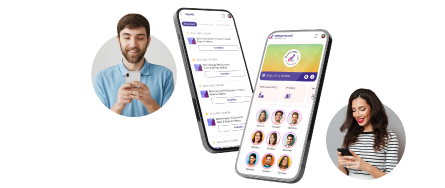
For example, a corporate summit may need speaker information and professional networking, while an exhibition may prioritize exhibitor details, venue maps, and sponsor content. Dreamcast offers a customizable mobile event app for in-person, virtual, and hybrid events.
How Does Customization Work?
Customization starts with identifying what attendees need to do before, during, and after an event. Organizers can then select relevant features, content, and branding for each stage of the experience.
Attendees may need programme details and updates before the event, session schedules and networking tools during it, and feedback forms or follow-up information afterward. The app’s configuration should reflect these requirements rather than include features that serve no clear purpose.
This approach makes the app more relevant to the event and its audience. The available functionality depends on the provider’s offering and the configuration agreed upon for the event.
Key Features of a Custom Mobile Event App
Not every event needs every available feature. Organizers should select capabilities based on the attendee journey, event format, and operational requirements.
1. Custom Branding and White-Label Experience
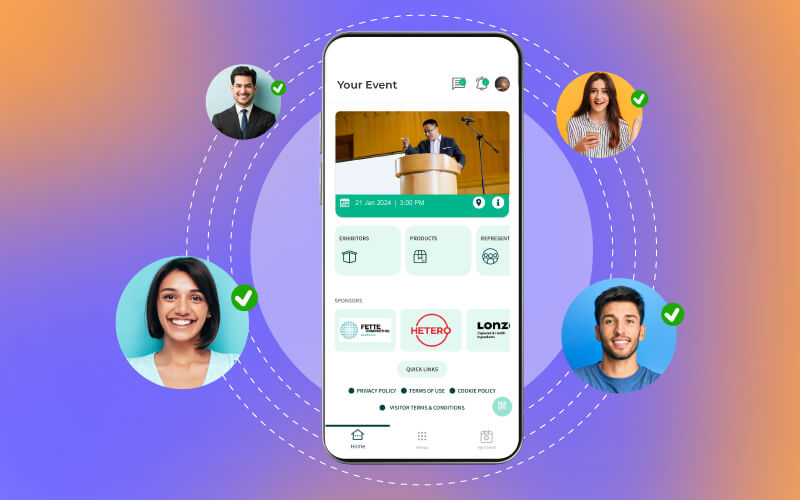
Custom branding helps align the app’s appearance and attendee-facing experience with the event’s identity. Depending on the configuration, organizers can tailor design elements, content, and selected functionality.
2. Event Agenda, Speaker Profiles, and Session Information
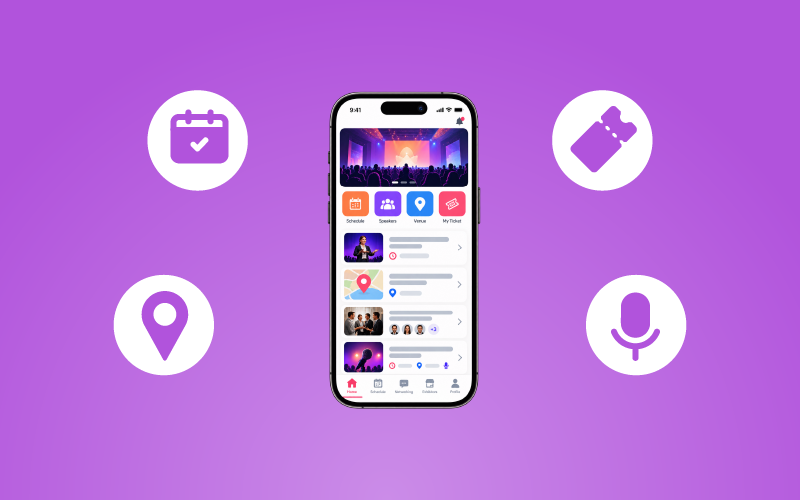
A digital agenda helps attendees check session timings, speaker details, and programme information. For multi-track events, hall-wise and session-wise schedules make it easier to identify relevant sessions and plan the day.
3. Push Notifications and In-App Communication
Push notifications and in-app messages can communicate session reminders, programme changes, and important announcements. Where supported, CRM integration can help coordinate attendee communication.
4. AI-Powered Networking and Meeting Scheduling
AI-powered matchmaking can recommend potential connections based on available profile information, interests, and networking preferences. Meeting scheduling, interest groups, and virtual business card sharing can further support professional interactions.
5. Live Polls, Q&A, Surveys, and Gamification
Live polls and Q&A encourage attendees to contribute during sessions, while surveys help organizers collect feedback. Quizzes and gamification can introduce interactive activities suited to the event’s audience and objectives.
6. Venue Maps and 3D Wayfinding
Venue maps and 3D wayfinding can help attendees locate halls, stages, booths, and meeting areas. These features are particularly useful at large exhibitions, conventions, and multi-hall events.
7. Registration, QR Check-In, and Payments
Depending on the setup, the app can support on-site registration, ticket purchases, QR-code check-in, and payment processing through an integrated gateway. Confirm which functions are included and whether separate access-control or badge-printing solutions are required.
8. Sponsor Visibility and Exhibitor Information
Sponsor logos, promotional content, advertisements, offers, and branded experiences can provide additional digital visibility. Exhibitor information also helps attendees discover organizations they may want to visit or contact.
9. Analytics and Reporting
Available reports may cover registration activity, session participation, engagement, networking, and attendee interactions. Organizers can use these insights to evaluate participation, while assessing commercial ROI may require additional information about leads, meetings, or sales outcomes.
Benefits of Using a Custom Event App
The benefits of custom event app customization depend on how well the app addresses the event’s needs. The following outcomes are possible when the relevant features are implemented effectively.
1. A More Convenient Attendee Experience
Bringing schedules, speaker details, notifications, maps, and networking tools together reduces the need to search across multiple channels. Attendees can find essential information more easily, particularly during busy programmes.
2. More Relevant Networking Opportunities
Matchmaking and meeting scheduling help attendees discover people with shared interests or professional goals. These tools make it easier to plan conversations, although the quality of connections still depends on attendee relevance and participation.
3. Better Communication During the Event
Push notifications and in-app messages give organizers a convenient channel for sharing updates and reminders. They can complement email and other communication methods when schedules change, or important information needs attention.
4. Greater Attendee Participation
Polls, Q&A, quizzes, and surveys offer different ways to participate during sessions. Organizers can choose the formats that suit each activity and use responses to understand attendee feedback.
5. More Opportunities for Sponsors
Sponsor placements, exhibitor information, and branded content create additional digital touchpoints for participating organizations. Relevant content can help attendees discover sponsors without making the app experience overly promotional.
6. More Informed Future Planning
App analytics, combined with attendee feedback and business outcomes, can help organizers evaluate what worked and what needs improvement. The available data and its usefulness depend on the features enabled and the metrics collected.
7. Support a More Connected Attendee Journey
An event experience includes several stages, from reviewing programme details to attending sessions and following up afterward. When relevant information is easy to find, attendees can spend less time searching for updates and more time participating.
Organizers can plan the app around these stages by prioritizing timely communication, accessible event information, networking, and feedback. The goal is not to digitize every activity, but to make important interactions more convenient for attendees.
Where Can a Custom Mobile Event App Be Used?
A Custom Mobile Event App can support different event formats by bringing relevant information, communication, networking, and engagement tools into one place. The features organizers select should reflect the event’s format, audience, and objectives.
1. Conferences and Business Summits
Conferences and business summits can use digital agendas, speaker profiles, session updates, and networking tools to help attendees plan their participation. Meeting scheduling and interactive features can also support professional connections and session engagement.
2. Exhibitions and Trade Shows
Exhibitions can use exhibitor information, venue maps, sponsor content, and meeting scheduling to help attendees discover participating businesses and navigate the venue. These features can make it easier for visitors to plan which booths and activities they want to explore.
3. Corporate Events and Internal Meetings
Corporate events can use digital schedules, speaker information, notifications, and interactive tools to keep participants informed and involved. For multi-session programmes, an app provides a central place to check event details and receive important updates.
4. Virtual and Hybrid Events
Virtual and hybrid events can use an app to bring event information, notifications, networking, and engagement tools together for remote and in-person participants. Depending on the configuration, attendees may also be able to access live or on-demand sessions and participate in digital activities.
5. Large, Multi-Hall, or Multi-Day Events
Large events often involve overlapping sessions, multiple halls, and complex schedules. Digital agendas, venue maps, 3D wayfinding, notifications, and meeting scheduling can help attendees locate relevant activities and organize their time throughout the event.
Real-World Example: Dreamcast at WCEF 2026
At the World Circular Economy Forum 2026, the WCEF Event App provided a hall-wise and session-wise agenda and a smart meeting scheduler.
The wider Dreamcast deployment also included QR badge check-in, on-site badge printing, access management, session scanning, and exhibitor lead retrieval. The case study reports 3,614 attendees and 9,570 session scans across the two recorded event days; these figures reflect the wider deployment, not the app alone.
The example shows how a customized app can connect digital schedules and meeting planning with other event operations. Read the WCEF 2026 case study or learn more about creating a custom mobile event app with Dreamcast.
How to Choose the Right Custom Mobile Event App
Before choosing a provider, identify what your attendees need and what your team needs to manage. Use the following points to compare options and find a Custom Mobile Event App that fits your event requirements.
- Define Your Event Goals: Identify your priorities, such as networking, session participation, venue navigation, sponsor visibility, or attendee communication.
- Match Features to Attendee Needs: Consider what attendees need before, during, and after the event. Prioritize useful features such as schedules, reminders, meeting tools, and interactive activities instead of selecting every available option.
- Check Integrations and Setup: Confirm which registration systems, CRMs, payment gateways, and other tools are supported. Ask what is included, what needs extra configuration, and which capabilities require separate solutions.
- Review Privacy and Data Handling: Understand what attendee data is collected, how it is used, who can access it, and how long it is retained.
- Evaluate Usability and Accessibility: Ask the provider to demonstrate common tasks, such as finding sessions, checking venue details, and using networking tools. Check device compatibility and whether essential information is easy to access.
- Plan for Event Size and Future Needs: Consider attendee numbers, programme complexity, and venue layout. For recurring events, ask how branding, content, and features can be updated for future editions, and clarify any limitations or additional costs.
- Confirm Reporting and Support: Check which reports are available and what assistance is provided before, during, and after the event. Also ask how programme updates and attendee access issues will be handled.
A suitable custom event app should fit your event goals, attendee needs, and operational setup without adding unnecessary complexity. Compare providers based on their actual capabilities, configuration requirements, and support before making your decision.
Make Your Event Experience More Connected!
A Custom Mobile Event App should do more than display a schedule. It should help attendees find event information, plan sessions, connect with relevant people, and participate in activities without missing important updates.
Start by identifying your event’s goals and the challenges attendees may face. Choose features that address those needs, whether it’s easy access to session details, timely notifications, or networking opportunities. Make sure the selected features fit your event format and existing setup.
Book a demo with Dreamcast to find the right mobile event app for your event.
FAQs
A Custom Mobile Event App is tailored to an event’s branding, audience, and functional requirements. It can combine schedules, speaker details, notifications, networking, and engagement tools in one place.
Common features include a digital agenda, speaker profiles, notifications, networking, meeting scheduling, polls, Q&A, venue maps, sponsor information, and analytics. The final selection depends on the event’s needs and the provider’s available capabilities.
Conferences, business summits, exhibitions, trade shows, corporate meetings, and virtual or hybrid events can benefit when the app supports their specific attendee and organizer requirements. It can also help people navigate large, multi-day programmes.
Define your event goals, audience needs, and operational requirements first. Then evaluate customization, features, integrations, privacy practices, reporting, usability, and support before confirming the configuration.
With Dreamcast Intuitive Mobile Event App