


Table of Contents
Managing badge printing and check-in for 1,000–1,500 attendees doesn’t require a large operations team- it requires the right workflow and trusted event tech solution provider. Pre-event registration, QR code badges, self-service kiosks, on-demand badge printing, dedicated support counters, and real-time attendee tracking help reduce queues, improve attendee experience, and keep entry running smoothly from start to finish.
Table of Contents
Key Takeaways
To manage badge printing and check-in, you need to
- Plan attendee registration and badge design before the event.
- Send QR code badges before arrival to reduce registration desk traffic.
- Use separate check-in lines for different attendee types.
- Deploy self-service kiosks for faster badge printing.
- Keep dedicated counters for VIPs, speakers, exhibitors, and walk-ins.
- Train staff before event day and conduct a complete rehearsal.
- Monitor attendee flow with real-time dashboards.
- Always have backup printers, internet connectivity, and power sources ready.
Introduction
For many event organizers, thousands of attendees is the point where manual check-in methods stop working efficiently. A registration desk that handles 300 attendees comfortably can quickly become overcrowded. Long queues form, badge printing slows, and attendees start their event feeling frustrated instead of excited.
The good news is that events of this size are still highly manageable when the badge printing and check-in process is planned properly. Whether you’re organizing a corporate conference, association meeting, trade show, university summit, healthcare event, or industry expo, your goal remains the same:
- Minimize waiting time
- Print accurate badges
- Verify registrations instantly
- Handle walk-ins smoothly
- Give attendees a professional first impression
Freeman’s 2024 Attendee Intent and Behavior Report found that 92% of respondents planned to attend more in-person events, highlighting the growing importance of delivering efficient, well-organized event experiences from check-in onward. This guide walks through the complete process of managing badge printing and check-in for events with 1,000–1,500 attendees, from planning to execution.
Step-by-Step Process to Manage Badge Printing and Check-In for 1,000–1,500 Attendees
If you’re wondering, “How can I manage badge printing and attendee check-in together?” this section is for you. Follow the step-by-step guide below to ensure faster check-ins, accurate badge printing, and a smooth experience for every attendee.
Step 1: Finalize Registration Before Event Day
Everything starts with clean attendee data. Collect all attendee information before the event and verify it carefully. Typical registration details include:
- Name
- Organization
- Job title
- Mobile number
- Ticket category
- Access permissions
Avoid accepting incomplete registrations that require manual corrections at the venue. The cleaner your database, the smoother your badge printing process becomes.
Step 2: Design Event Badges in Advance
A badge is more than an entry pass. It helps attendees network, allows staff to identify participant categories, and supports access control. So it is always best practice to choose the design and layout of your event badges before the event. Smart event registration platforms such as Dreamcast allow event organizers to customize the event badges in advance.
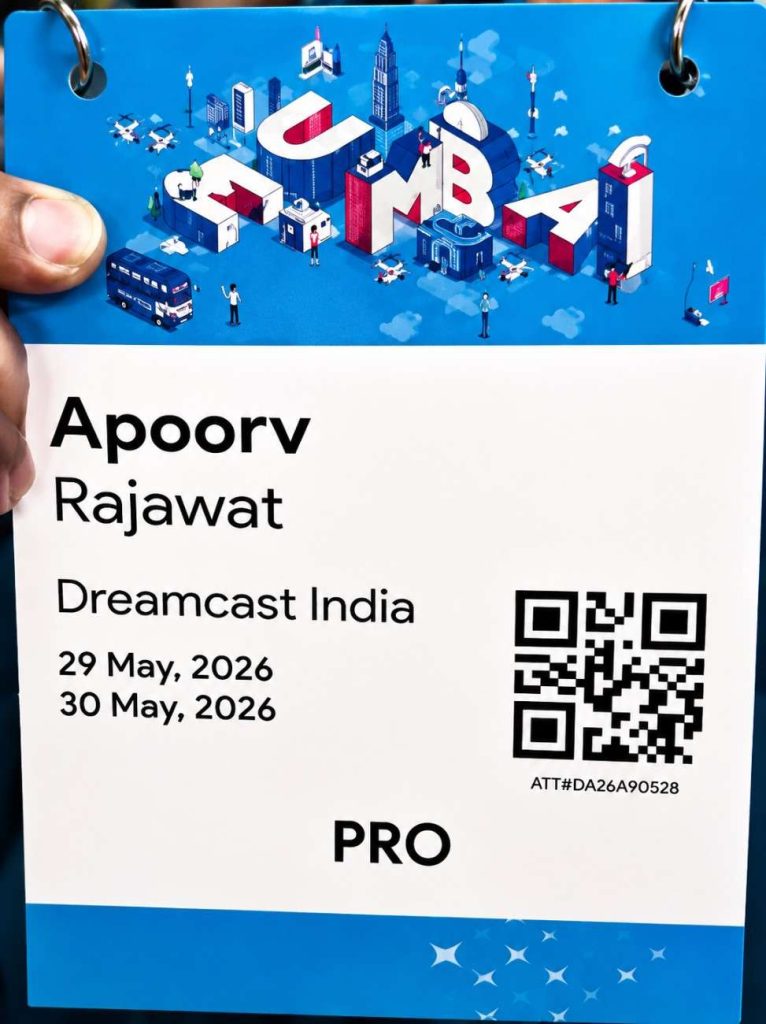
A typical badge includes:
- Attendee name
- Company name
- Designation
- QR Code
- Event branding
- Badge category
- Sponsor branding (optional)
For events with multiple attendee groups, use color coding.
Example:
| Badge Color | Category |
| Blue | Delegates |
| Green | Exhibitors |
| Gold | VIP |
| Red | Speakers |
| Orange | Media |
| Black | Staff |
This allows security teams to identify attendee categories instantly.
Step 3: Send Digital QR Badges Before Arrival
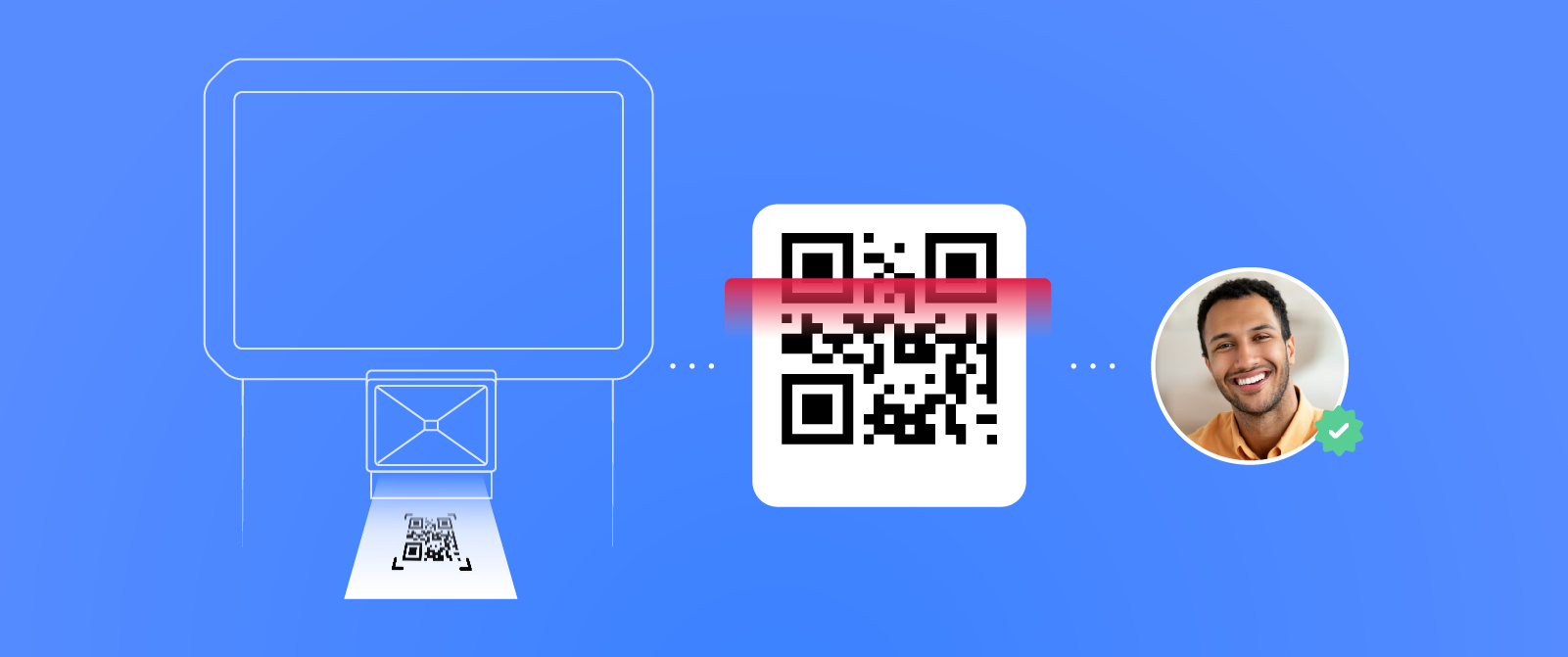
The operational impact can be significant. Industry data suggests that QR-enabled check-in can reduce average entry time from around 12 seconds to about 3 seconds per attendee, helping organizers move large crowds through registration much faster.
One of the biggest reasons for long queues is attendees searching for confirmation emails at the venue. Instead, send digital badges several days before the event through:
- SMS
- Mobile event app
Attendees simply scan the QR code upon arrival. Best part? This reduces manual searches and speeds up verification.
Step 4: Decide Between Pre-Printed and On-Demand Badge Printing

For large-scale events, organizers generally choose one of two methods.
Option 1: Pre-Printed Badges
Ideal when:
- Registration closes before the event
- Very few walk-ins are expected
- Attendee information is finalized
Advantages:
- Fast distribution
- Minimal printing on-site
- Lower waiting time
Option 2: On-Demand Badge Printing
Best when:
- Late registrations are common
- Walk-ins are expected
- Information changes frequently
Advantages:
- Always prints the latest attendee information
- Eliminates wasted badges
- Handles last-minute registrations easily
Many organizers combine both methods by pre-printing confirmed attendees while printing badges instantly for late registrations.
Step 5: Set Up Multiple Check-In Counters
Avoid one long registration desk. Instead, divide attendees into dedicated counters.
Example layout:
| Counter | Purpose |
| Counter 1 | Pre-registered attendees |
| Counter 2 | Speakers |
| Counter 3 | VIP Guests |
| Counter 4 | Exhibitors |
| Counter 5 | Walk-ins |
| Counter 6 | Help Desk |
Smaller queues move much faster than one large queue.
Step 6: Deploy Self-Service Badge Printing Kiosks
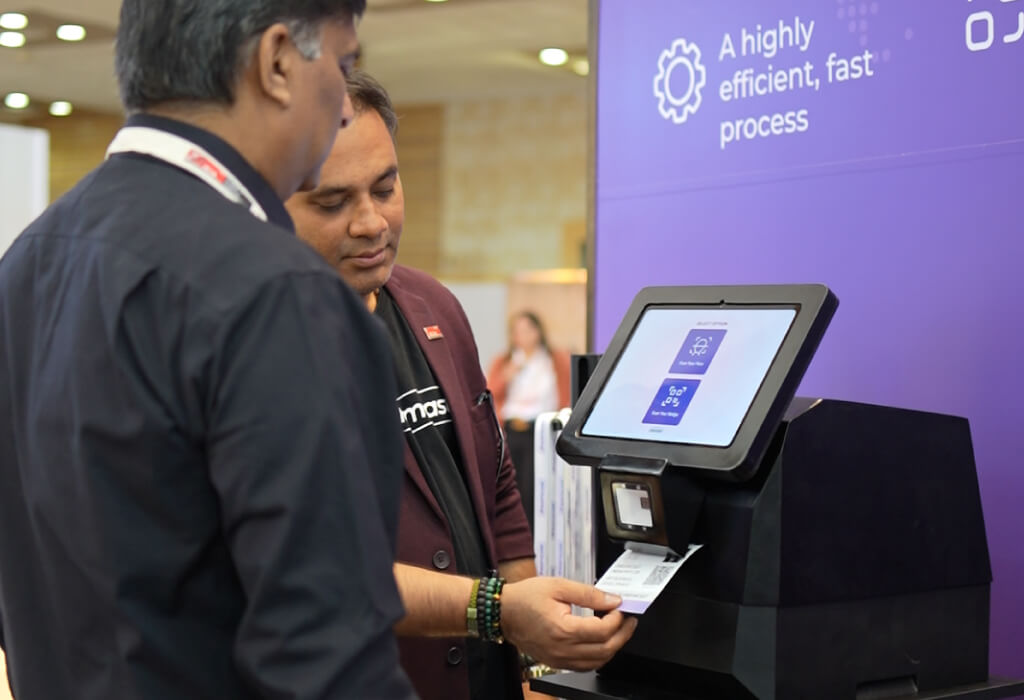
Deploy the robust self-service kiosks to significantly reduce pressure on registration staff.
The attendee simply:
- Scans the QR code
- Confirms identity
- Badge prints automatically
- Collects badge
Most attendees complete the process within seconds. Staff only assist attendees who need help.
Step 7: Keep Dedicated Walk-In Registration
Even if online registration closes before the event begins, always be prepared for last-minute attendees. These may include sponsors, VIP guests, partner organizations, replacement delegates, media representatives, or other approved guests who require on-site registration. To avoid disrupting the check-in process, never mix walk-in registrations with the main attendee queue. Instead, set up a dedicated registration desk equipped with badge printing capability, ensuring walk-in guests can be processed quickly while keeping the primary registration line moving efficiently.
Step 8: Train Registration Staff Before Event Day

Technology alone cannot guarantee smooth check-in. Staff should know how to:
- Scan QR codes
- Print badges
- Replace damaged badges
- Edit attendee information
- Handle duplicate registrations
- Assist first-time attendees
- Escalate technical issues
Conduct a rehearsal using actual registration equipment. Testing under realistic conditions helps identify potential bottlenecks before attendees arrive.
Step 9: Test Every Printer Before the Event
Nothing slows entry faster than printer failures.
Before opening registration:
Check:
- Badge stock
- Ink or ribbon
- Printer calibration
- Network connection
- Power supply
- Print quality
- Spare cables
Always keep backup printers ready.
If one printer fails, another should take over immediately.
Step 10: Monitor Check-In in Real Time
Real-time monitoring allows organizers to open additional counters whenever queues begin forming. Choose a trusted check-in vendor such as Dreamcast that provides live dashboards showing:
- Number of attendees checked in
- Peak arrival periods
- Remaining registrations
- Walk-in registrations
- Badge printing status
- Staff productivity
Step 11: Prepare for Internet or Power Failures
Technology issues happen. According to the Uptime Institute Annual Outage Analysis, power and network outages continue to affect organizations each year, underscoring the importance of backup connectivity and contingency planning for technology-dependent event operations.
Prepare backup plans such as:
- Offline attendee database
- Local badge printing capability
- Portable Wi-Fi hotspots
- Backup internet connection
- UPS for printers
- Extra laptops
- Additional QR scanners
A contingency plan prevents registration from stopping completely.
Step 12: Continue Monitoring Throughout the Day
Check-in isn’t finished after the morning rush.
Keep monitoring:
- Session entry
- Workshop attendance
- Lunch access
- VIP lounge entry
- Networking events
- Evening functions
The same badge and QR code can support access control throughout the event.

Why Different Events Need Different Check-In Strategies (3 Real-World Event Examples)
Different events require different badge printing and check-in strategies, even when attendance falls within the same range.
Example 1: Corporate Leadership Conference (1,200 Attendees)
Most attendees register before the event, making pre-printed badges a practical option. Separate counters for executives, speakers, and general delegates help reduce congestion, while a small walk-in desk handles last-minute changes.
Example 2: Industry Trade Show (2000+ Attendees)
Trade shows usually experience staggered arrivals and a higher number of exhibitor staff and visitors. On-demand badge printing, self-service kiosks, and dedicated exhibitor counters keep entry moving throughout the day. Since attendees often arrive at different times, real-time monitoring helps organizers adjust staffing as needed.
Example 3: University Research Summit (1,000 Attendees)
Student delegates, faculty members, invited speakers, and sponsors often require different access levels. Color-coded badges combined with QR-based check-in simplify identity verification and ensure attendees enter only the sessions and areas assigned to them.
These examples highlight an important point: the best badge printing and check-in strategy depends on attendee behavior, registration patterns, and event format—not just attendee numbers.
Need a Proven Badge Printing and Check-In Partner?
Planning check-in for 1,000–1,500 attendees becomes much easier when you’re using a platform that’s already proven at a much larger scale. Dreamcast provides an end-to-end badge printing and check-in solution that combines online registration, QR-enabled badges, on-demand badge printing, self-service kiosks, real-time attendee tracking, and access control on a single platform. Whether you are hosting a corporate conference, exhibition, association event, or government summit, organizers can manage registrations, print badges instantly, and monitor attendee movement without switching between multiple systems.
A recent example is the World Food India Event, where Dreamcast successfully managed approximately 70,000 attendees, processed QR-enabled badges, handled 19+ attendee categories, operated across 13 venue locations, and supported 5 onsite registration gates while maintaining secure access during the Prime Minister’s inauguration. The deployment demonstrated how integrated registration, badge printing, and access control can keep attendee movement smooth — even at one of India’s largest and most security-sensitive events. For organizers planning events with thousands of attendees, this same technology provides the confidence to deliver fast, organized, and professional check-in experiences at a much smaller scale.
FAQs
The ideal number depends on arrival patterns and attendee categories, but using multiple dedicated counters for pre-registered attendees, VIPs, exhibitors, speakers, walk-ins, and support generally reduces waiting time compared to a single registration desk.
If registrations are finalized before the event, pre-printed badges work well. If you expect late registrations, attendee changes, or walk-ins, on-demand badge printing provides greater flexibility. Many organizers use a combination of both.
QR codes allow attendees to verify their registration quickly by scanning a unique code on their phone or printed confirmation. This reduces manual searches, minimizes errors, and speeds up badge issuance.
Yes. Self-service kiosks can significantly reduce queues by allowing attendees to scan their QR code and print badges without waiting for staff assistance, especially during peak arrival periods.
Most event badges include the attendee’s name, organization, designation, QR code, attendee category, and event branding. Some organizers also add sponsor logos, session access information, or color coding for quick identification.
Keep backup badge printers, extra badge stock, portable internet connections, offline attendee data, UPS power backups, and spare scanning devices ready. Testing all equipment before the event also helps prevent unexpected disruptions.
Yes. Many event management platforms integrate badge printing and QR code check-in with registration, attendee management, mobile event apps, analytics, and access control, allowing organizers to manage the complete attendee journey from a single system.