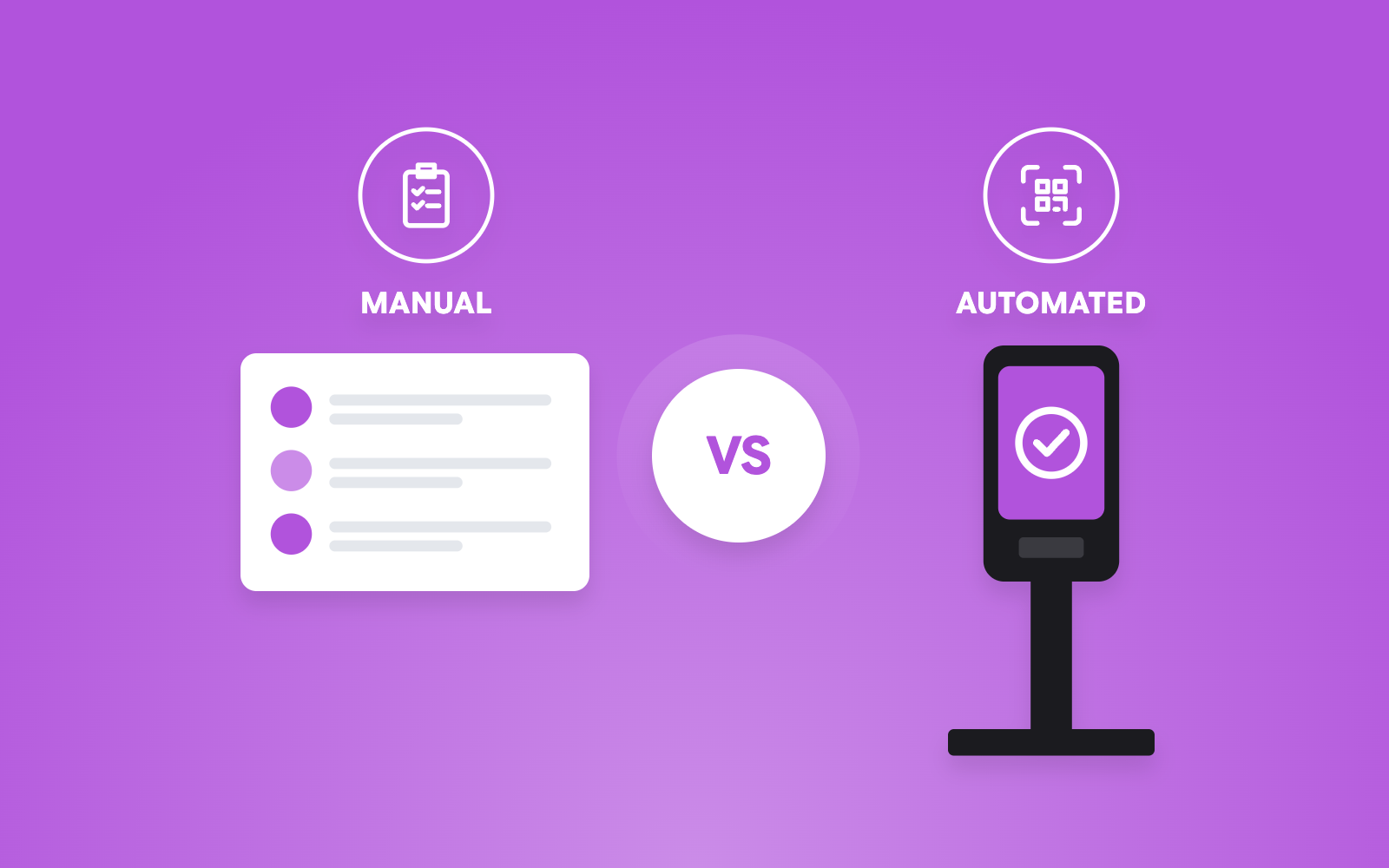



- You do not need to replace Cvent, Zoho Backstage, Luma, or Bizzabo to improve onsite registration and check-in.
- Many event organizers use a specialized onsite registration partner alongside their existing event registration platform.
- Attendee data can typically be synced through APIs, scheduled data transfers, or secure imports.
- Your registration platform can continue managing registrations, payments, communications, and attendee records.
- An onsite registration partner usually manages badge printing, self-service kiosks, QR code scanning, walk-in registrations, and attendance tracking.
- This hybrid approach works particularly well for conferences, exhibitions, corporate events, trade shows, and large-scale multi-day events.
- The result is a faster, more efficient onsite experience without disrupting your existing registration workflow.
Introduction
If you are already using Cvent, Zoho Backstage, Luma, or Bizzabo for event registrations, you may assume that improving your onsite registration and check-in experience requires moving everything to a different platform.
Fortunately, that is usually not the case.
Many event organizers successfully keep their existing registration platform while partnering with a specialized onsite registration and check-in provider.
This approach allows them to continue using the tools their teams are familiar with while upgrading critical onsite operations such as badge printing, attendee check-in, walk-in registrations, attendance tracking, and access control.
The key is understanding how both systems work together. Did you know that strategic form routing and data-driven check-in can reduce onsite queue times by 27%? Well, you do now.
In this blog, we will walk through how organizers can improve onsite registration and check-in without disrupting their existing registration setup.
The Biggest Misconception: Onsite Registration Doesn’t Always Require a Platform Change
One of the most common misconceptions among event organizers is that online registration and onsite registration must come from the same vendor.
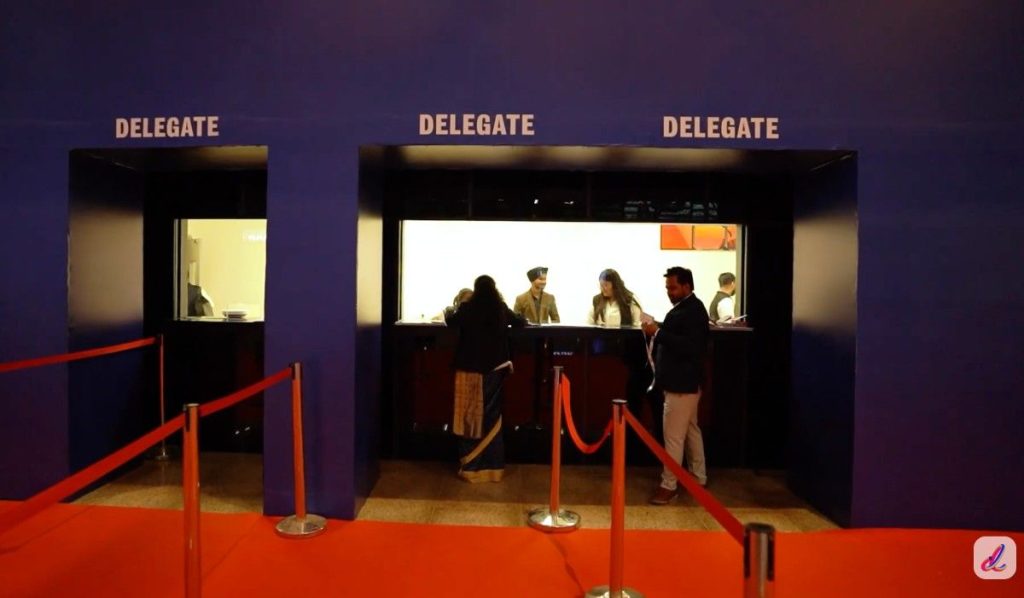
In reality, these are often two separate functions.
Your Online Registration Platform and Onsite Operations Can Be Separate
Did you know that the US events market size is projected to reach $651.53 billion by 2032? Platforms such as Cvent, Zoho Backstage, Luma, and Bizzabo are widely used for:
- Registration forms
- Ticket sales
- Attendee management
- Event communications
- Marketing automation
However, when event day arrives, organizers often need specialized onsite capabilities that go beyond online registrations.
This is where an onsite registration provider can step in.
Why Many Organizers Use Two Different Vendors
The reason is simple: different tools are built for different purposes. Your registration platform may work perfectly for collecting attendee data and managing registrations.
At the same time, a specialized onsite partner may offer stronger capabilities for:
- Fast badge printing
- Self-check-in kiosks
- QR code scanning
- Walk-in registrations
- Session access control
- Real-time attendee tracking
So, instead of replacing a system that already works, many organizers simply enhance their onsite operations. Also, around 50% of people who formally register for an in-person event will ultimately not show up, so you need to be prepared in both cases.
What Actually Needs to Be Connected
In most cases, only attendee-related information needs to be shared between systems. Typically, shared data is:
- Attendee information
- Ticket categories
- Registration status
- QR codes or unique IDs
- Custom registration fields
Once this information is available to the onsite system, check-in and badge printing can operate smoothly without changing your registration platform.
The Onsite Challenges That Registration Platforms Don’t Always Solve
Many registration platforms excel at collecting registrations. However, onsite operations introduce a completely different set of challenges.
Long Check-In Queues
Attendees rarely judge an event by the registration form they completed weeks ago. They remember the experience they had upon arrival. Long queues can quickly create frustration and negatively impact first impressions. Over 50% of total registrations occur within the first 30 days of an event’s announcement, with a secondary surge tied to early-bird deadlines.
Manual Attendee Verification
Manual attendee lookups slow down check-in and increase the risk of errors. At larger events, even a few extra seconds per attendee can create significant delays.
Slow Badge Printing
Badge printing often becomes a bottleneck when attendees arrive in large groups. Without proper onsite infrastructure, queues can grow rapidly.
Last-Minute Registrations
Registrations rarely stop before event day.
Many organizers continue receiving registrations in the final days or even hours leading up to the event.
Walk-In Attendees
Walk-ins are common at conferences, exhibitions, and corporate events. Supporting them efficiently requires dedicated processes and tools.
Session Access Control
Managing entry into premium sessions, workshops, or VIP areas often requires more sophisticated onsite systems.
Badge Reprints
Lost badges, damaged badges, and attendee changes are all common onsite issues. Handling them quickly is important for maintaining attendee satisfaction.
Real-Time Attendee Tracking
Organizers increasingly want visibility into attendance levels, session participation, and venue occupancy. Many onsite solutions provide this functionality through live dashboards. Plus, 67% of users will abandon a registration form if they encounter technical issues, and up to 10% will quit immediately if asked unnecessary questions.
Read More: Onsite & Online Event Ticketing & Registration for All Types of Events
How to Manage Onsite Registration and Check-In Without Switching Platforms
The process is often much simpler than organizers expect, as can be understood below:
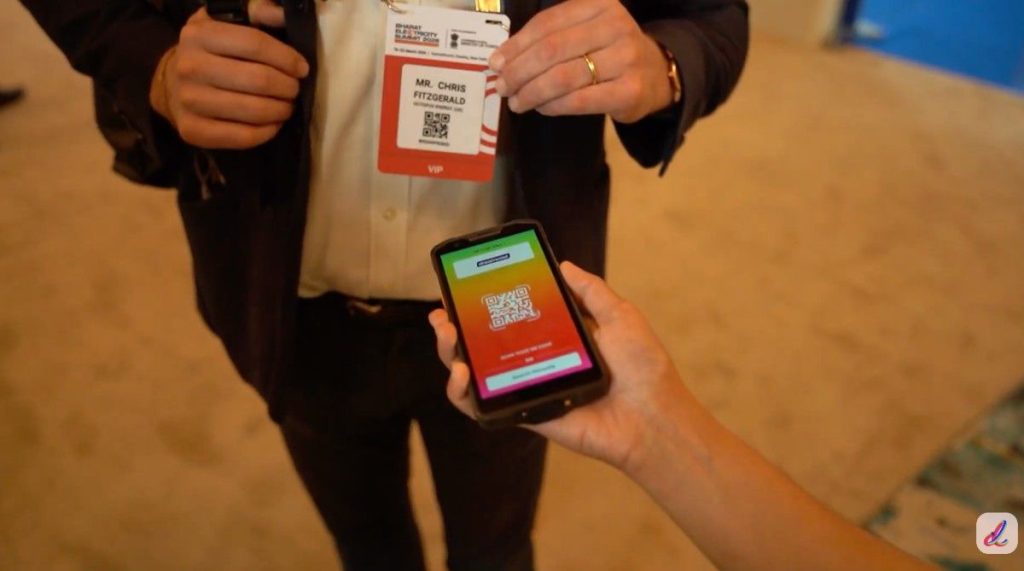
Step 1: Export or Sync Attendee Data
The first step is ensuring attendee information is available to the onsite registration system. The goal is to ensure attendee records remain accurate and up to date.
But can attendee data sync automatically?
This is one of the most common questions organizers ask.
The answer is often yes. Now, let us understand this through:
API-Based Integrations
Many onsite registration providers support API-based integrations. These integrations allow attendee information to flow automatically between systems. Also, they continuously keep the system up-to-date, but at the same time could be a little slow.
Webhook Data Synchronization
Some event tech solution providers use a platform that generates a key for data synchronization instead of slow integration, so you can access your complete data at once. Updates may occur in a while or at predefined intervals.
For many events, this approach works perfectly well. If you are worried about where you will find this feature, then we have got your back. Dreamcast is a platform that has been doing this for a while for organizers to ensure great on-ground support for events.
Manual Imports as a Backup Option
Even when integrations are available, manual imports can provide an additional layer of protection. They are often used as backup procedures during event preparation.
A mostly used and safe method? Yes.
But cannot rely 100% on this one because it is time-consuming.
What Information Usually Syncs Between Systems?
Common synced fields include:
- Name
- Company
- Ticket type
- Registration status
- Unique attendee ID
Additional custom fields may also be supported depending on the event requirements.
Step 2: Design, Set Up & Print Badges
Once attendee data is available, the onsite provider typically decides on:
- Badge layouts
- Ticket categories
- Check-in permissions
- Session access rules
- Registration workflows
This setup ensures attendees receive the correct credentials when they arrive.
Step 3: Test Registration and Check-In Workflows
Before event day, organizers should test:
- QR code scanning
- Badge printing
- Check-in processes
- Data synchronization
- Walk-in registration workflows
Testing helps identify potential issues before attendees arrive.
Step 4: Go Live Onsite
When the event begins, the onsite system handles attendee arrivals. The typical process often looks like this:
Registration Platform → Attendee Data Sync → Onsite Check-In System → Badge Printing → Attendance Tracking
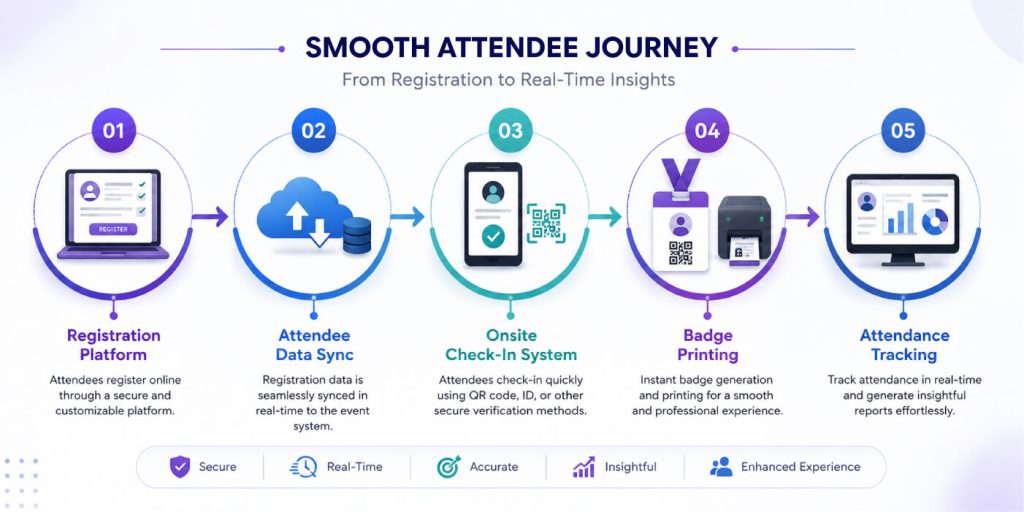
For attendees, the experience feels smooth even when multiple systems work together behind the scenes, as 73% expect a seamless technology experience across the event journey.
What Stays Inside Cvent, Zoho Backstage, Luma, or Bizzabo
An important point to understand is that your existing registration platform remains active.
- Registration Forms and Ticket Sales:
Attendees continue registering through your existing registration system.
No changes are required.
- Payment Processing:
Ticket purchases and payment collection typically remain within your registration platform.
- Event Communications:
Confirmation emails, reminders, updates, and attendee communications continue operating as usual.
- Attendee Management:
Did you know that In-person events boost brand affinity, with two-thirds of event attendees reporting more positive feelings about a brand after interacting with it at an event? Your registration platform remains the primary source of attendee records and registration information.
The onsite provider simply extends functionality where needed.
What Your Onsite Registration Partner Usually Handles
The onsite provider typically focuses on event-day operations.
Badge Printing Setup
This often includes badge design implementation, printing workflows, printer deployment, print station configuration, and self-Check-In Kiosks.
Self-service kiosks can help reduce staffing requirements while improving attendee processing speed. A reliable event tech provider like Dreamcast can help you with this setup very efficiently.
Also Read: Pre-Printed vs On-Demand Badges: Which Should Event Organizers Choose?
QR Code Scanning and Verification
Attendee credentials can be scanned and validated within seconds.
Walk-In Registration Management
Many onsite providers support registration and badge issuance for attendees who register onsite.
Real-Time Attendance Tracking
Live dashboards often provide visibility into check-ins, attendance levels, session participation, and entry activity. Common onsite deliverables can be:
- Printers
- Scanners
- Check-in software
- Kiosks
- Technical support staff
What About Last-Minute Registrations and Changes?
Late changes are common and should be expected.
Handling New Registrations Before the Event
As new attendees register, updated records can typically be synchronized with the onsite system. This ensures newly registered attendees can check in normally.
Managing Attendee Edits and Ticket Upgrades
Changes such as name corrections, company updates, ticket upgrades, and session selections can often be reflected within the onsite system before check-in.
Supporting Same-Day Walk-Ins
Many onsite solutions allow staff to register attendees onsite, collect required information, print badges immediately, and process payments when necessary. This helps accommodate unexpected attendee demand.
“Technology should remove friction from the attendee journey, not create it. The most successful event technology strategies are often those that integrate specialized solutions rather than forcing organizers into a single platform.”
Questions to Ask an Onsite Registration Provider Before Signing
Before selecting an onsite partner, it’s important to understand their capabilities. By asking the following questions, you can do so.
| Questions To Be Asked | Why Should You Ask This | |
| 1. | Have You Worked With My Registration Platform Before? | Previous integration experience can reduce implementation risks. |
| 2. | How Do You Handle Data Synchronization? | Understanding the synchronization process helps avoid surprises later. |
| 3. | Can I Expect Offline Check-In Capabilities as Well? | Offline functionality can be critical if internet connectivity becomes unstable. |
| 4. | How Do I Prevent Duplicate Check-Ins in My Event? | Duplicate attendance records can create operational challenges. |
| 5. | How Fast Is Your Badge Printing Process? | Badge printing speed directly impacts attendee wait times. |
| 6. | Can You Handle Peak Arrival Periods Without Long Queues? | Ask about attendee throughput and queue management strategies. |
| 7. | Can You Support Walk-In Registrations? | Walk-ins are common and should be supported efficiently. |
| 8. | What Hardware Is Included in Your Service? | Understand whether the provider supplies printers, scanners, kiosks, laptops, and network equipment. |
| 9. | Do You Provide Onsite Technical Staff? | Technical support can be invaluable during busy registration periods. |
| 10. | What Backup Plans Do You Have for Hardware or System Failures? | Contingency planning is essential for maintaining operations under unexpected circumstances. |
When Does This Approach Make the Most Sense?
While many events can benefit from this model, some scenarios are particularly well-suited to it.
- Large Conferences: Large attendee volumes often require specialized onsite registration capabilities.
- Trade Shows and Exhibitions: Exhibitions frequently need fast badge printing, exhibitor check-in, and attendance tracking.
- Corporate Events: Corporate events often benefit from streamlined check-in and access control.
- Multi-Day Events: Events spanning multiple days may require ongoing attendee management and attendance visibility.
- Events Requiring Fast Badge Printing: When speed matters, specialized onsite registration providers can offer significant advantages.
Why the Dreamcast is an Ideal Option
If you are looking to enhance your onsite registration and check-in experience without replacing your existing registration platform, Dreamcast offers a practical solution.
It integrates with popular event registration platforms, enabling attendee data synchronization while handling critical onsite operations such as instant badge printing, QR code scanning, self-check-in kiosks, walk-in registrations, and real-time attendance tracking. The platform also supports custom badge designs, bulk and on-demand badge printing, offline-ready workflows, and detailed analytics to help organizers monitor event performance.
Whether you are managing a conference, exhibition, corporate event, or large-scale summit, Dreamcast is built to streamline high-volume check-ins while allowing you to continue using the registration platform your team already relies on. They already managed onsite amazingly for JLF 2026. You can read more about it here:
Behind the Scenes of JLF 2026: How Dreamcast Simplified the World’s Largest Literary Festival

Summing Up
Using Cvent, Zoho Backstage, Luma, or Bizzabo does not mean you are locked into a single vendor for every aspect of your event operations.
In many cases, organizers can continue using their preferred registration platform while partnering with a specialized onsite registration and check-in provider.
It is possible to improve onsite operations without disrupting existing registration processes by syncing attendee data, configuring badge printing workflows, and integrating check-in systems. This approach allows organizers to keep the tools they already trust while adding the capabilities needed to deliver a faster, smoother, and more efficient onsite experience.
If your current registration platform is working well, replacing it may not be necessary. Instead, enhancing your onsite registration and check-in operations through a dedicated onsite partner, like Dreamcast, could be the more practical and efficient solution.
FAQs
You can usually keep your existing registration platform and connect it with a specialized onsite registration provider. This lets you improve check-in and badge printing without migrating systems.
Specialized onsite providers focus on fast check-ins, badge printing, walk-in registrations, and attendee tracking. They complement your existing registration platform rather than replace it.
Most providers offer API integrations, scheduled synchronization, or secure data imports. This helps keep attendee records updated across both systems.
Ideally, planning should begin several weeks before the event. This provides enough time for setup, testing, and workflow validation.
Your registration platform typically remains the primary source of attendee data. The onsite provider only accesses the information needed for event-day operations.
Focus on fast badge printing, QR code scanning, self-check-in kiosks, offline functionality, and real-time attendance tracking. These features help reduce queues and improve efficiency.