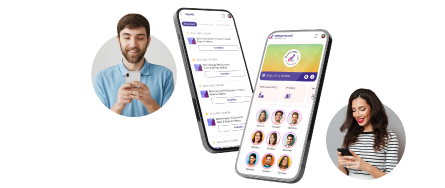

Managing an event involves much more than creating an agenda and inviting attendees. You also need to keep people informed, help them navigate the event, create networking opportunities, manage registrations, engage attendees, and understand what is working.
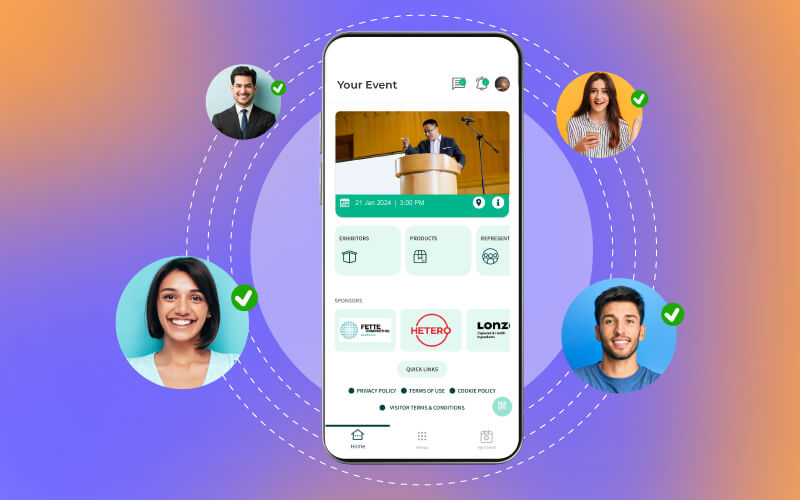
A mobile event app can bring many of these activities together in one digital experience.
Whether you are organizing an in-person conference, hybrid event, trade show, exhibition, or virtual event, an event app can give attendees and organizers a central place to access information, communicate, participate, and manage event activities.
But is an event app still a good investment in 2026 and beyond? That depends on your event goals, audience, and the capabilities you need.
Let’s understand how it works and what you should look for before choosing one.
Table of Contents
TL;DR Verdict
A mobile event app is a digital platform that helps attendees access event information, build connections, participate in sessions, and receive real-time updates from their smartphones. For organizers, it can simplify communication, engagement, networking, event management, and data collection.
Modern event apps may work across mobile and web, making them suitable for different attendee preferences. Before choosing one, check its registration, agenda, networking, engagement, analytics, integration, security, and support capabilities.
What Is a Mobile Event App?
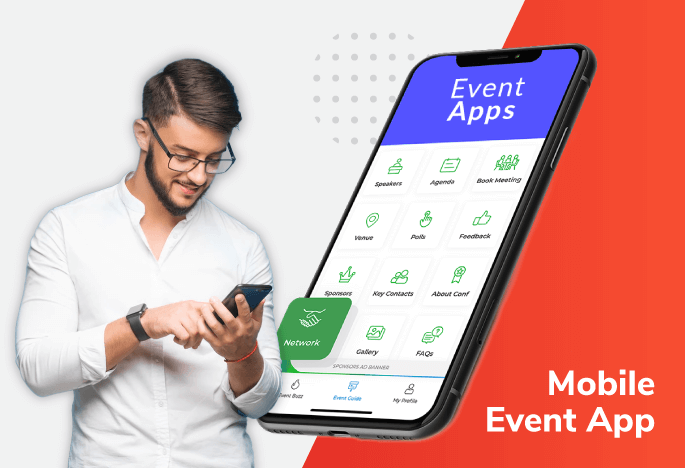
A mobile event app is a digital application designed to support the attendee and organizer experience before, during, and sometimes after an event.
Instead of making attendees search through emails, printed schedules, websites, and separate tools, an event app can bring important information into one place.
Based on the solution, attendees may be able to:
- View the event agenda and speaker profiles
- Create a personal schedule
- Check in using a QR code
- Find exhibitors and sponsors
- Network and exchange contact information
- Participate in polls and Q&A sessions
- Receive event updates and notifications
- Access presentations, documents, and recordings
- Navigate the venue using interactive maps
- Give feedback and rate sessions
For organizers, the same platform can provide tools for communication, attendee management, engagement, networking, sponsorship, and analytics.
How Does a Mobile Event App Work?
The exact workflow depends on the event and platform, but the experience usually starts before attendees arrive.
After registering, an attendee can access the event app or web-based event experience. They can then explore the agenda, update their profile, select sessions, discover other attendees, and receive relevant notifications.
During the event, the app becomes a central engagement and information channel. Attendees can use it for check-in, networking, Q&A, polls, navigation, and real-time updates.
After the event, the same platform can be used to share resources, collect feedback, provide recordings, and continue conversations.
This makes the app part of the complete attendee journey, rather than just a digital event schedule.
Benefits of Mobile Event Apps
The value of an event app goes beyond replacing a printed agenda.
1) Creates a Central Information Hub
Attendees can access schedules, speakers, exhibitors, venue details, announcements, and resources from one place.
2) Improves Attendee Engagement
Polls, Q&A, surveys, gamification, reactions, and interactive content create more opportunities for participation.
3) Makes Networking Easier
Digital profiles, matchmaking, messaging, contact exchange, and meeting scheduling can help attendees make relevant connections.
4) Enables Real-Time Communication
If a session room changes or an important announcement needs to be shared, organizers can communicate quickly through notifications.
5) Personalizes the Attendee Experience
Personal agendas, recommended sessions, relevant networking suggestions, and targeted notifications can make the event more relevant to individual attendees.
6) Increases Sponsor and Exhibitor Visibility
Digital profiles, banners, sponsored content, exhibitor listings, and interactive activities can create additional opportunities for sponsor exposure.
7) Provides Measurable Event Insights
Instead of relying only on post-event surveys, organizers can use available engagement data to understand how attendees interacted with the event.
8) Reduces Dependence on Printed Materials
Schedules, maps, speaker information, exhibitor details, and announcements can be delivered digitally, reducing the need for constantly updated printed materials.
Also Check: The Role of Event Attendee Mobile App in Managing Large-Scale Events
Essential Mobile Event App Features in 2026
Once you understand the benefits, the next question is: What features should your event app actually have?
1. Registration and Check-In
Look for registration integration and convenient check-in options such as QR codes. The goal should be to reduce queues and make event entry simple.
2. Personalized Agenda
Attendees should be able to browse sessions, save favorites, and create a personal schedule.
3. Push Notifications
Notifications can be used for reminders, announcements, schedule changes, and other relevant updates. Make sure the platform supports appropriate targeting so attendees are not overwhelmed with unnecessary messages.
4. Networking and Matchmaking
Attendee profiles, search, messaging, matchmaking, contact exchange, and meeting scheduling can make networking more useful.
5. Live Polling and Q&A
These tools help speakers interact with attendees and give organizers a way to understand audience opinions during sessions.
6. Interactive Maps
For large venues, digital maps and wayfinding can help attendees find rooms, stages, booths, and other event locations.
7. Speaker and Exhibitor Profiles
Provide useful information about speakers, sessions, exhibitors, products, and sponsors so attendees can decide where to spend their time.
8. Gamification
Leaderboards, challenges, badges, points, and rewards can encourage attendees to participate in different parts of the event.
9. Analytics and Reporting
Look for reporting that helps measure app usage, session engagement, networking activity, content interaction, survey responses, and other relevant event metrics.
10. Integrations
An event app should fit into your existing event technology ecosystem where possible. Check whether it can integrate with tools for registration, email, payments, CRM, social media, streaming, or other systems you already use.
11. Security and Privacy Controls
Event apps can handle attendee profiles, contact details, registration information, and other data. Ask how the provider protects this information and what access controls, authentication, and privacy settings are available.
12. Offline or Low-Connectivity Support
Large venues do not always provide reliable connectivity everywhere. If attendees need access to agendas, maps, tickets, or other information during connectivity problems, check what offline functionality the platform provides.
Event App for Attendees: What Can They Do?
An event app should make attending an event easier, not give attendees another complicated tool to learn.
Find Important Event Information
Attendees can access schedules, venue information, speaker profiles, exhibitor details, FAQs, and event announcements from one place.
Build a Personal Agenda
Instead of browsing the entire event schedule repeatedly, attendees can save relevant sessions and create their own agenda.
This is especially useful for conferences with multiple tracks happening at the same time.
Network With Other Attendees
Attendee directories, profiles, in-app messaging, matchmaking, and meeting scheduling can help people discover relevant connections.
For business events, this can turn networking from an informal activity into a more structured part of the event experience.
Participate in Sessions
Live polls, Q&A, surveys, reactions, and quizzes allow attendees to participate instead of simply watching a presentation.
Navigate the Venue
Interactive maps and floor plans can help attendees locate stages, meeting rooms, exhibition booths, food areas, and other important spaces.
Also Read: Event App for Conference – The Ultimate Guide to Pick the Best
Event App for Event Organizers: What Can They Manage?
While attendees use an event app to participate, organizers can use it to manage and measure different parts of the event experience.
Communicate in Real Time
Push notifications and in-app messages can help organizers communicate schedule changes, reminders, announcements, and urgent information.
Manage Attendee Engagement
Organizers can run polls, surveys, Q&A sessions, quizzes, networking activities, and gamification campaigns directly through the event experience.
Promote Sponsors and Exhibitors
An event app can provide digital visibility through sponsor profiles, banners, exhibitor listings, branded content, notifications, and links to sponsor pages.
Collect Event Data
Depending on the platform and privacy settings, organizers can track metrics such as session participation, poll responses, app activity, networking interactions, survey responses, and content engagement.
These insights can help organizers understand what attendees found useful and identify areas for improvement.
Event App for Web and Mobile: Which One Should You Offer?
An event app does not necessarily have to mean a smartphone-only experience.
Many modern event platforms can provide an experience through both web and mobile , giving attendees more flexibility.
Mobile Event App
A mobile app can be particularly useful when attendees need event information while moving around a venue.
Features such as push notifications, QR-code interactions, networking, personalized schedules, and venue navigation can make mobile access convenient during an event.
Web-Based Event App
A web-based event experience can be useful for attendees who prefer accessing the event through a browser instead of installing an application.
It can also be convenient for desktop users, particularly when they are reviewing agendas, joining virtual sessions, managing meetings, or accessing event resources.
Why Offer Both?
If your audience has different device preferences, providing both options can reduce friction.
Rather than forcing every attendee into one access method, consider offering a consistent event experience across web and mobile where your platform supports it.
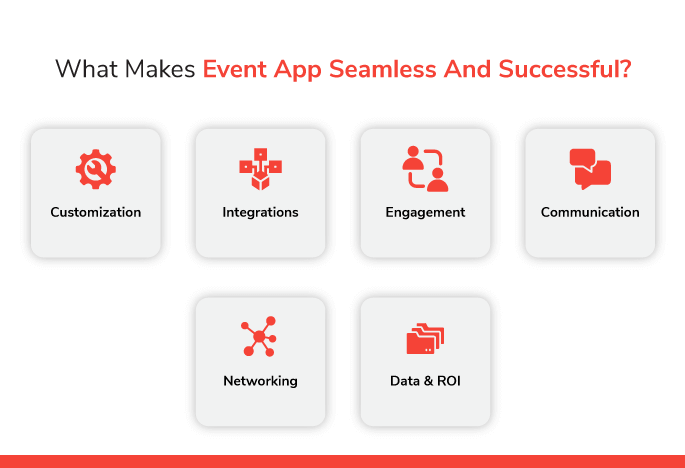
What Makes an Event App Successful?
Having dozens of features does not automatically make an event app useful.
Start with your event objectives.
If networking is a major goal, prioritize attendee profiles, matchmaking, messaging, and meeting scheduling.
If attendee engagement is the priority, look for polling, Q&A, surveys, gamification, and interactive content.
If you are organizing a large exhibition, focus on maps, exhibitor directories, lead capture, sponsor visibility, and analytics.
In other words, choose technology around your event requirements, rather than changing your event around the technology.
Event App Checklist
Before selecting a mobile event app, use this checklist to compare your options:
☐ Registration and ticketing integration
☐ QR-code or digital check-in
☐ Mobile and web accessibility
☐ Personalized agenda
☐ Speaker profiles
☐ Exhibitor and sponsor profiles
☐ Attendee directory
☐ Networking and matchmaking
☐ In-app messaging
☐ Meeting scheduling
☐ Push notifications
☐ Live polling and Q&A
☐ Surveys and feedback
☐ Gamification
☐ Interactive maps
☐ Event content and document sharing
☐ Sponsor branding opportunities
☐ Analytics and reporting
☐ Third-party integrations
☐ Security and privacy controls
☐ Offline or low-connectivity capabilities
☐ Technical and attendee support
☐ Scalability for your expected audience size
This checklist can help you compare providers based on what your event actually needs instead of choosing an app simply because it has the longest feature list.
How to Choose the Right Mobile Event App
Before making a decision, ask yourself five questions:
- Who will use the app?
Consider attendees, speakers, exhibitors, sponsors, staff, and administrators.
- What problem should it solve?
Identify whether your biggest priority is networking, communication, engagement, navigation, event management, or measurement.
- Which event formats do you support?
If you organize in-person, virtual, and hybrid events, check whether the platform supports the formats you need.
- Can it integrate with your existing tools?
Avoid creating unnecessary manual work by checking integrations early.
- How will success be measured?
Decide which metrics matter before selecting the reporting capabilities you need.
Summing Up
A mobile event app can become much more than a digital event schedule. When planned properly, it can connect attendees with information, people, sessions, exhibitors, sponsors, and organizers throughout the event journey.
For attendees, the right app can make an event easier to navigate, more personalized, and more interactive. For organizers, it can provide communication tools, engagement capabilities, operational support, and useful event data.
However, the best choice is not necessarily the app with the most features. Start with your event objectives, understand what your attendees need, and use the event app checklist to evaluate the capabilities that genuinely support those goals.
As event technology continues to evolve, the focus should remain simple: use the right digital tools, like Dreamcast to make the event experience more useful for attendees and easier to manage for organizers.
FAQs
A mobile event app is a digital platform that helps attendees access event information, view schedules, network, participate in sessions, receive updates, and navigate the event. Organizers can also use it for communication, engagement, sponsor visibility, and event analytics.
A mobile event app can centralize event information, improve attendee engagement, simplify networking, enable real-time communication, support personalized experiences, increase sponsor visibility, and provide organizers with useful event data.
Offering both web and mobile access can give attendees more flexibility. Mobile access is convenient during an event, while web access can be useful for people who prefer a browser or desktop experience. The right approach depends on your audience and event requirements.
Important features can include registration and check-in, personalized agendas, push notifications, attendee networking, messaging, live polling and Q&A, interactive maps, speaker and exhibitor profiles, gamification, analytics, integrations, security, and offline or low-connectivity support.
An event app can help organizers communicate with attendees, manage event information, facilitate networking and engagement, promote sponsors and exhibitors, collect feedback, and measure activities such as session participation and app engagement.
Start by identifying your event goals, audience, format, and most important attendee needs. Then compare platforms based on features, web and mobile accessibility, integrations, security, scalability, analytics, support, and the specific requirements on your event app checklist.
With Dreamcast Intuitive Mobile Event App